
A website safety score is a numerical rating that reflects how trustworthy and secure a site is, based on its reputation history and technical security configuration. Phishing alone accounts for about 36% of breaches, which means the risk of landing on a dangerous site is not theoretical. Tools like Google Safe Browsing, Norton Safe Web, and Verified help you check website safety score results before you click, shop, or share personal information. This guide explains what those scores measure, which tools deliver the most reliable verdicts, and how to interpret results so you can browse with real confidence.
What makes up a website safety score?
A website safety score combines two distinct measurements: reputation and technical security. Treating them as the same thing is one of the most common mistakes users make.
Reputation score: what the internet thinks of a site
Reputation scores pull data from threat intelligence databases, blacklists, and domain history. Factors like domain age, hosting location, SSL certification, and user reviews all feed into the calculation. ScamAdviser uses over 40 data sources for its trust scoring, which shows how many independent signals a reliable verdict actually requires. A brand-new domain with no history will score lower than an established one, even if neither has done anything wrong yet.
Technical security score: what the site has configured
Technical scores measure whether a site has deployed the right security controls. Graders check SSL configuration, mixed content warnings, and HTTP security headers like Content Security Policy (CSP) and HTTP Strict Transport Security (HSTS). Missing headers like CSP or HSTS can deduct 10–20 points each in standard grading systems. That is a significant penalty for what is essentially a missing configuration, not an active attack.

Headers like Referrer-Policy and Permissions-Policy also matter. Missing medium-priority headers deduct around 10 points in most grading schemes. These deductions add up fast on sites that have never had a security audit.
Pro Tip: A low technical score usually means missing preventive controls, not that the site has been hacked. A high technical score does not mean the site is safe. You need both scores to form a complete picture.
Here is how the two score types compare:
| Factor | Reputation Score | Technical Security Score |
|---|---|---|
| Data sources | Blacklists, threat databases, user reviews | HTTP headers, SSL config, mixed content |
| What it measures | History of malicious behavior | Presence of preventive controls |
| Main risk if low | Site may be a known scammer or phishing host | Site lacks defenses against certain attacks |
| Can be high while unsafe? | Yes, if domain is newly compromised | Yes, if site is a well-configured phishing page |
| Tools that check it | URLVoid, Norton Safe Web, Verified | SecurityHeaders.com, Visiblytics |
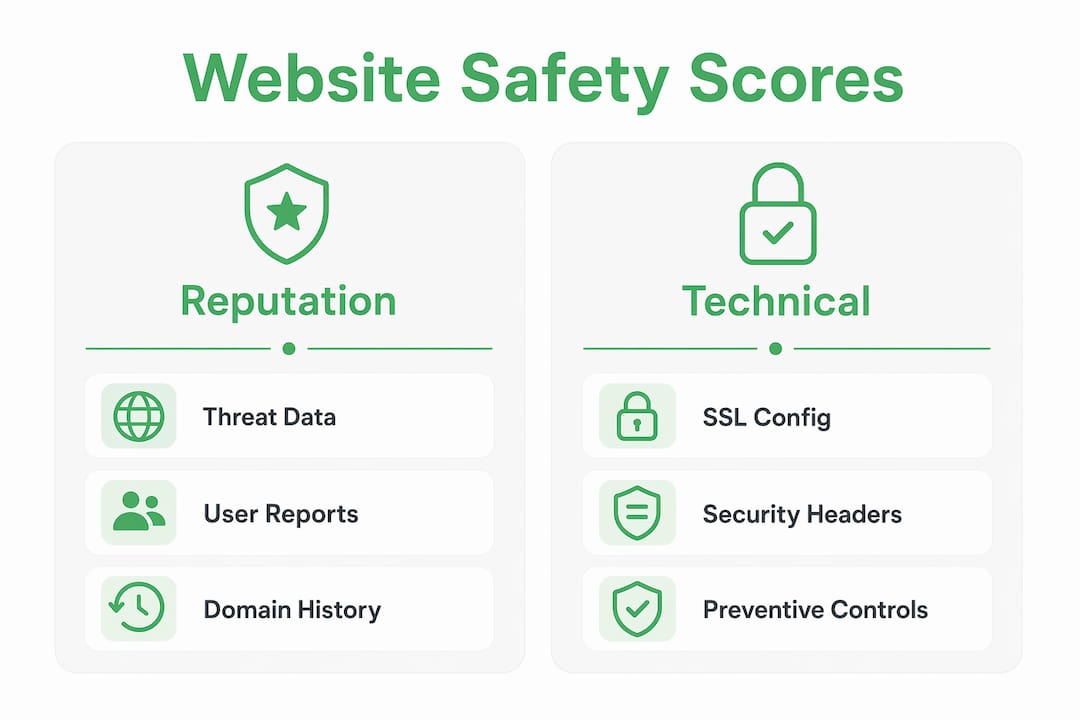
No single safety score is infallible. A site with a perfect technical grade can still be a phishing operation if the domain was recently registered or quietly compromised.
Which tools can you use to check site safety?
The best website safety checker tools in 2026 fall into two categories: manual scanners you use on demand and always-on browser protections that work in the background.
Manual scanners let you paste a URL and receive a report. The most widely used options include:
-
Google Transparency Report: Checks a URL against Google Safe Browsing, one of the largest threat databases in the world.
-
URLVoid: Queries 15+ vendors simultaneously to give you a multi-source reputation verdict. More sources mean fewer blind spots.
-
Norton Safe Web: Combines Norton’s threat intelligence with community-sourced reviews for a blended trust rating.
-
Verified (verified.fyi): Analyzes over 200 security and reputation signals through AI weighting, then delivers a score from 0 to 100 with a plain-language verdict. You can check any site instantly without creating an account.
Always-on browser tools work differently. They use behavioral AI to block new phishing sites in real time, providing zero-day protection that static database checks cannot match. Browser extensions from security vendors like Bitdefender TrafficLight and Avast Online Security fall into this category.
Passive scanners like URLVoid and Verified query threat data without visiting the URL. That matters because visiting a malicious site to check it would expose you to the very risk you are trying to avoid.
Pro Tip: Use a manual scanner before visiting an unfamiliar site, and keep an always-on browser extension running for sites you visit without thinking. The two methods cover different threat windows.
How do you perform a website safety check step by step?
Running a website safety assessment takes under two minutes when you know what to look for. Here is the process that gives you the most complete picture.
-
Copy the full URL. Include the protocol (http:// or https://) and any subdomain. A scan of “example.com” and “login.example.com” can return different results.
-
Run it through a multi-source scanner. Paste the URL into Verified or URLVoid. Multi-source tools query multiple threat intelligence feeds at once, so you get a broader verdict than any single database provides.
-
Read the reputation verdict first. Look for blacklist flags, domain age warnings, and any known phishing or malware associations. A site flagged by even one major vendor is a red flag worth investigating.
-
Check the technical security score separately. Use a header checker to see whether the site has deployed CSP, HSTS, and other protective headers. A site missing all of them is not necessarily malicious, but it is poorly protected.
-
Combine the two scores into a judgment. A site with a clean reputation and strong headers is low risk. A site with a clean reputation but zero security headers is medium risk. A site with reputation flags is high risk regardless of its technical score.
-
Report suspicious sites. Google Safe Browsing and the Anti-Phishing Working Group (APWG) both accept user reports. Reporting helps protect other users.
Here is a quick comparison of scanning approaches:
| Approach | Speed | Depth | Best For |
|---|---|---|---|
| Single-source scanner | Fast | Limited | Quick gut-check on a known platform |
| Multi-source aggregator | Fast | High | Unfamiliar or suspicious URLs |
| Technical header checker | Moderate | Focused | Evaluating a site’s security configuration |
| Always-on browser extension | Instant | Behavioral | Real-time protection during normal browsing |
The biggest mistake users make is trusting a single “safe” verdict and ignoring the detailed source data underneath it. If one vendor flags a site and nine others clear it, that one flag still deserves attention.
What are the common pitfalls when reading safety scores?
Website safety assessment results are probability indicators, not absolute verdicts. Understanding where they fall short keeps you from making a costly mistake.
Common pitfalls to watch for:
-
Confusing a low technical score with active hacking. A low score typically means missing configurations, not a breach in progress. The site may simply have never had a security review.
-
Trusting a high technical score as proof of safety. Technical scores reflect preventive configuration, not whether the site is actively malicious. A phishing page can score perfectly on headers.
-
Ignoring passive scanning limitations. Passive scanners do not execute scripts, so they can miss threats that only activate inside a real browser session. Passive URL scanners provide safer but sometimes less complete detection.
-
Relying on a single tool. Any one database has gaps. Using tools that aggregate multiple threat intelligence databases simultaneously provides the highest assurance.
-
Overlooking domain age and user reviews. A site that launched three days ago with no reviews and a generic name is a red flag even if every scanner returns a clean result.
-
Skipping the check because the site looks professional. Scam sites in 2026 are visually polished. Design quality is not a safety signal.
Cross-verifying with at least two independent tools before entering payment details or personal information is the minimum standard worth holding yourself to.
Key takeaways
A reliable website safety evaluation requires checking both reputation signals and technical security configuration, not just one or the other.
| Point | Details |
|---|---|
| Two scores, not one | Reputation and technical security scores measure different risks and must both be reviewed. |
| Multi-source tools win | Scanners querying 15+ vendors simultaneously catch threats that single-source tools miss. |
| Low technical score ≠ hacked | Missing headers mean weak defenses, not an active breach. |
| Always-on tools fill gaps | Browser extensions block zero-day phishing that static databases have not yet cataloged. |
| Never trust one verdict alone | Cross-check with at least two independent tools before sharing personal or payment data. |
Why i think most people are checking website safety wrong
After years of watching how people actually use safety tools, the pattern is clear: most users run one scan, see a green checkmark, and move on. That behavior is exactly what scammers count on.
Website safety scores are probability indicators, not binary pass/fail results. A score of 78 out of 100 does not mean a site is 78% safe. It means the available evidence leans toward trustworthy, with some signals still unresolved. That distinction matters when you are about to enter your credit card number.
The other mistake I see constantly is treating technical security scores and reputation scores as interchangeable. They are not. Technical security posture and site reputation are distinct measurements. A site can be technically well-configured and still be running a scam. A legitimate small business site can have poor headers and still be completely honest. You need both lenses.
My honest recommendation: combine always-on protection with manual checkers for any site you do not already know and trust. The always-on tool catches the threats you encounter without thinking. The manual scan handles the sites you are deliberately evaluating. Neither one alone is enough.
The users who get burned are not careless people. They are people who checked once, got a clean result, and stopped there. Vigilance is not paranoia. It is the habit that keeps you off the scam statistics.
— Nick
Check any website instantly with Verified
Verified analyzes over 200 security and reputation signals for any URL you submit, then delivers a score from 0 to 100 with a plain-language verdict. There is no account required and no waiting.
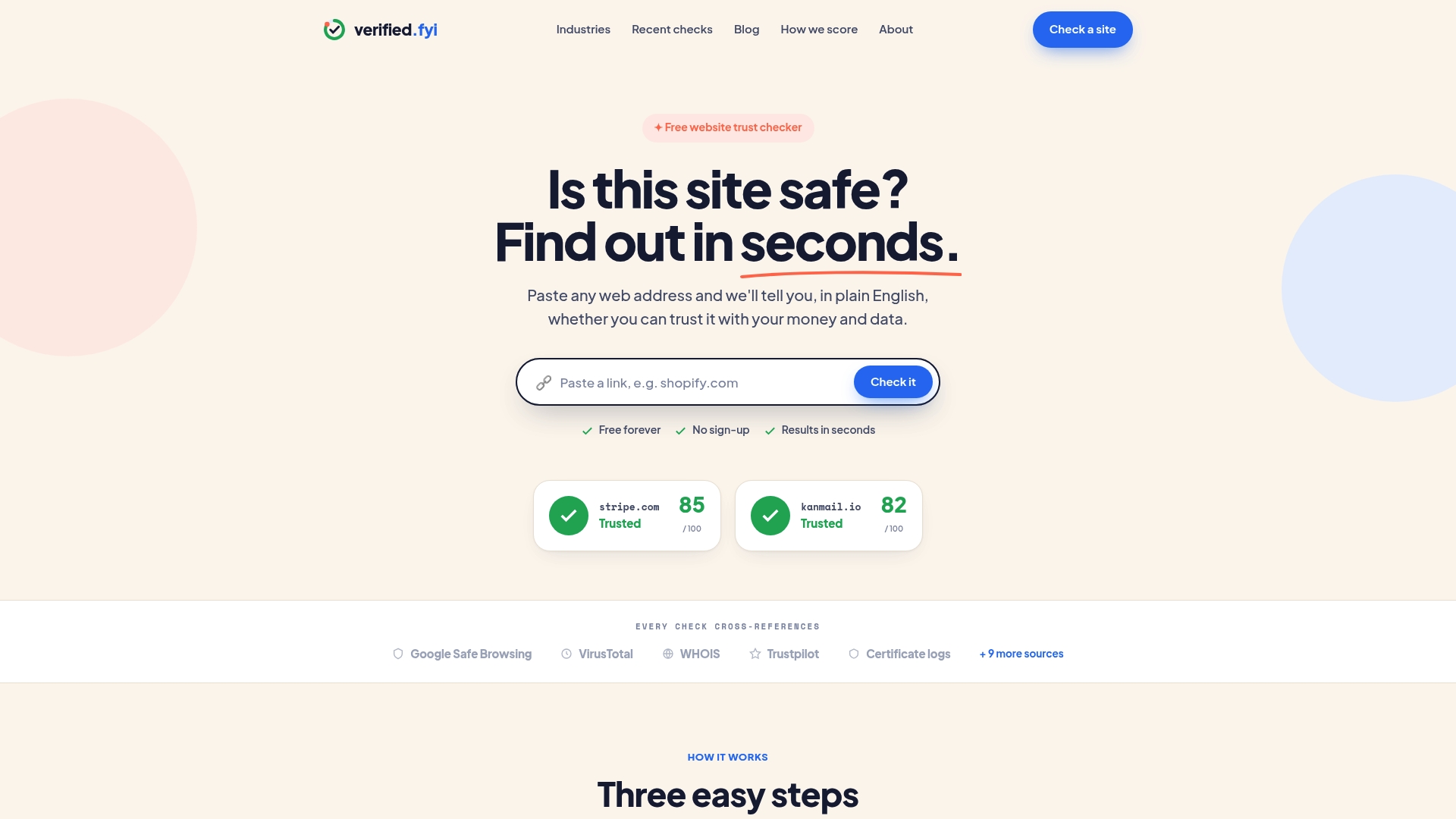
Paste a URL into Verified and you get a full breakdown of reputation flags, technical security status, and an AI-weighted trust verdict in seconds. You can also browse recently checked sites to see which domains are currently flagged as suspicious or confirmed scams. If you want to understand exactly how the scoring works, the scoring methodology is fully documented. Whether you are checking an unfamiliar online store or verifying a link someone sent you, Verified gives you the evidence to decide with confidence.