TL;DR:
- Parents should evaluate website safety for children by verifying technical security measures, content suitability, and establishing ongoing supervision. Combining technical checks like HTTPS, domain age, and security headers with content reviews and open communication creates the most effective safety strategy. Relying solely on technical features can give false confidence; building trust and routine oversight are equally essential.
Website safety assessment is the process of evaluating a site's technical security, content quality, and data practices before allowing a child to use it. 97% of children aged 12–15 are active social media users, which means passive oversight is no longer enough. How parents assess site safety now requires a layered approach: checking encryption, reading privacy policies, auditing content, and building honest conversations with kids. This guide walks you through each layer with specific checks, tools, and strategies you can apply today.
How parents assess site safety: the technical checks that matter
Technical verification is the first line of defense when evaluating site safety for children. A site can look polished and professional while hiding serious security gaps underneath.
Start with these non-negotiables:
- HTTPS encryption. The padlock icon in your browser's address bar confirms the connection is encrypted. HTTPS presence is a baseline requirement, not a guarantee of trustworthiness. A scam site can still use HTTPS, so treat it as a floor, not a ceiling.
- SSL certificate validity. An expired or misconfigured SSL certificate is a red flag. Use a free SSL certificate checker to confirm the certificate is current and issued by a recognized authority.
- Domain age and ownership. Sites registered only days or weeks ago are suspect. Legitimate educational platforms and entertainment sites have established digital histories. You can look up any domain's registration date using a WHOIS lookup tool. WHOIS is a public database that shows who owns a domain and when it was created.
- Pop-ups and unsolicited downloads. Excessive pop-ups, auto-downloads, or redirects to unrelated pages are strong signals of a low-quality or malicious site.
- Security headers. These are invisible instructions a website sends to your browser to prevent certain types of attacks. You can check them using free tools like Otterwatch's SSL guide or browser developer tools.
| Check | What it tells you | Tool to use |
|---|---|---|
| HTTPS padlock | Connection is encrypted | Browser address bar |
| SSL certificate | Certificate is valid and current | Otterwatch SSL checker |
| WHOIS domain age | Site has an established history | WHOIS lookup |
| Security headers | Browser protections are active | Browser dev tools |
Pro Tip: Paste any URL into Verified fyi to get an instant trust score based on over 200 security and reputation signals. It takes seconds and removes the guesswork from technical checks.
What content signals tell you about a site's safety for kids
Technical security and content safety are two separate problems. A site can pass every encryption check and still expose your child to inappropriate advertising, aggressive data collection, or unsafe chat features.
Focus on these content and interaction factors:
- Age-appropriate content. Scan the homepage and a few interior pages for violence, adult language, or mature themes. If the content feels off for your child's age, trust that instinct.
- Advertising quality. Ads on children's sites can link to inappropriate content if the site uses poorly filtered ad networks. Look for sites that either run no ads or use child-safe ad partners.
- Privacy policy and data collection. Even legitimate educational websites can have privacy policies that allow extensive data sharing. Read the policy specifically for mentions of third-party data sharing, targeted advertising, and parental consent requirements.
- Interactive features. Chat sections, comment boards, and direct messaging tools carry real risk. A kid-safe platform requires multi-layer content filtering, real-time moderation, and transparent safety reporting. If a site's chat feature has none of these, that is a problem.
- Reputation and reviews. Search the site name alongside terms like "safe for kids" or "scam." Parent forums, Common Sense Media, and independent review platforms often surface issues that technical checks miss.
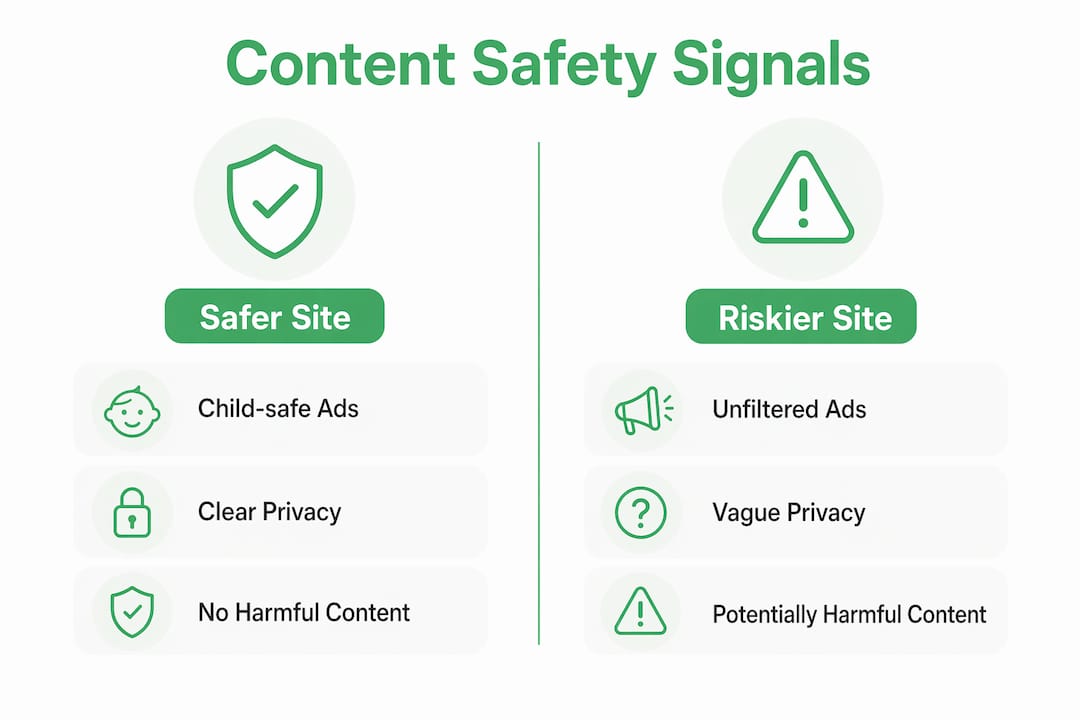
The table below compares what a safer children's site looks like versus a riskier one across key content dimensions.
| Factor | Safer site | Riskier site |
|---|---|---|
| Advertising | Child-safe ad network or no ads | Unfiltered third-party ads |
| Privacy policy | Clear parental consent, no third-party sale | Vague language, broad data sharing |
| Interactive features | Moderated, age-gated, no direct messaging | Open chat, unmoderated comments |
| Content tone | Age-appropriate, reviewed | Mixed or unreviewed user content |
Behavioral and supervisory strategies that strengthen site safety
Technical checks and content reviews only work if they are part of a consistent parenting practice. Children who fear parental anger are less likely to report distressing online experiences. That single fact should reshape how you approach the entire conversation about online safety.
Here is a practical framework for building supervisory habits:
- Set clear family rules before a child visits a new site. Agree on what types of sites are allowed, how long they can be used, and what to do if something feels wrong. Written rules work better than verbal ones because they remove ambiguity.
- Enable parental controls at the router level. Router-level content filters cover every device on your home network, including gaming consoles and smart TVs that often bypass device-level controls.
- Teach children what to do when something feels unsafe. The three steps are: stop using the site, tell an adult, and do not delete anything. Deleting evidence makes it harder to report problems later.
- Have regular, low-pressure check-ins. Ask open questions like "What have you been watching lately?" rather than "Did you go anywhere you shouldn't?" The first question invites sharing. The second invites defensiveness.
- Model the behavior you expect. If you check a site before your child uses it, explain what you are doing and why. This builds the habit in them over time.
Children's safety improves dramatically when parents combine technical tools with clear family rules and ongoing conversations. Neither alone is sufficient.
Pro Tip: Treat every "I'm not sure" moment as a prompt to investigate together with your child, not as a failure. Curiosity is safer than silence.
How to use checklists and tools to check site safety systematically
A structured parent site safety checklist removes the inconsistency from ad-hoc reviews. Without a checklist, you tend to check the things you already know and skip the things you do not.
A solid 10-point website safety assessment covers:
- Is HTTPS active and the SSL certificate valid?
- Is the domain more than six months old?
- Does the site have a clear, readable privacy policy?
- Does the privacy policy require parental consent for children under 13?
- Is the advertising filtered and age-appropriate?
- Are interactive features moderated?
- Does the site have verifiable contact information?
- Are there independent reviews from trusted parent sources?
- Does the site request unnecessary personal information during sign-up?
- Has the site been flagged by any safety scanner or scam database?
Set aside at least 15 minutes to work through this list for each new site. Every "No" or "Not sure" answer is an action point. Treat it as information, not judgment.
For faster checks, use Verified fyi's website safety score guide to understand what a trust score actually measures. Then paste the URL directly into Verified fyi to get a score from 0 to 100 based on over 200 signals. A score below 50 warrants serious caution. A score above 80 does not mean the site is perfect, but it does mean the major risk signals are absent.
Pro Tip: Run the checklist and the Verified fyi scan together. The checklist catches content and behavioral issues. The scanner catches technical and reputation issues. Together, they cover the gaps each one misses alone.
Key takeaways
Effective site safety assessment combines technical verification, content review, and consistent parental communication to create a protective layer that no single tool can replicate alone.
| Point | Details |
|---|---|
| HTTPS is a floor, not a ceiling | Encryption confirms a secure connection but does not confirm safe or appropriate content. |
| Domain age reveals risk | Sites registered days or weeks ago carry higher risk and warrant extra scrutiny before a child visits. |
| Content and ads both matter | Unfiltered advertising on children's sites can expose kids to adult content even on otherwise safe platforms. |
| Psychological safety drives disclosure | Children who trust their parents without fear of punishment are more likely to report unsafe online experiences. |
| Checklists plus scanners beat either alone | A structured checklist catches content issues; tools like Verified fyi catch technical and reputation signals. |
Why I think technical checks alone give parents false confidence
I have reviewed hundreds of websites across every category, and the pattern I keep seeing is this: parents feel reassured the moment they see a padlock in the browser bar. That reassurance is understandable. It is also incomplete.
Safety features are often unreliable and function more as marketing tools than actual protections. A site can have perfect HTTPS, a valid SSL certificate, and a clean WHOIS record while still running unmoderated chat rooms or selling children's data to advertisers. Technical checks tell you about the plumbing. They do not tell you what is flowing through the pipes.
The parents I have seen handle this well do not treat digital environments as interchangeable. They assess each platform on its own terms: who manages it, how it handles bad behavior, and whether the company behind it has a track record worth trusting. That is a harder question than "does it have HTTPS?" but it is the right one.
The most critical component of online safety is the relationship between you and your child. A child who knows they can come to you without being punished is safer than a child behind the best parental control software on the market. Build that trust first. Then add the technical layers on top.
— Nick
Check any site in seconds with Verified fyi
Knowing what to look for is only half the work. The other half is having a fast, reliable way to check sites before your child visits them.
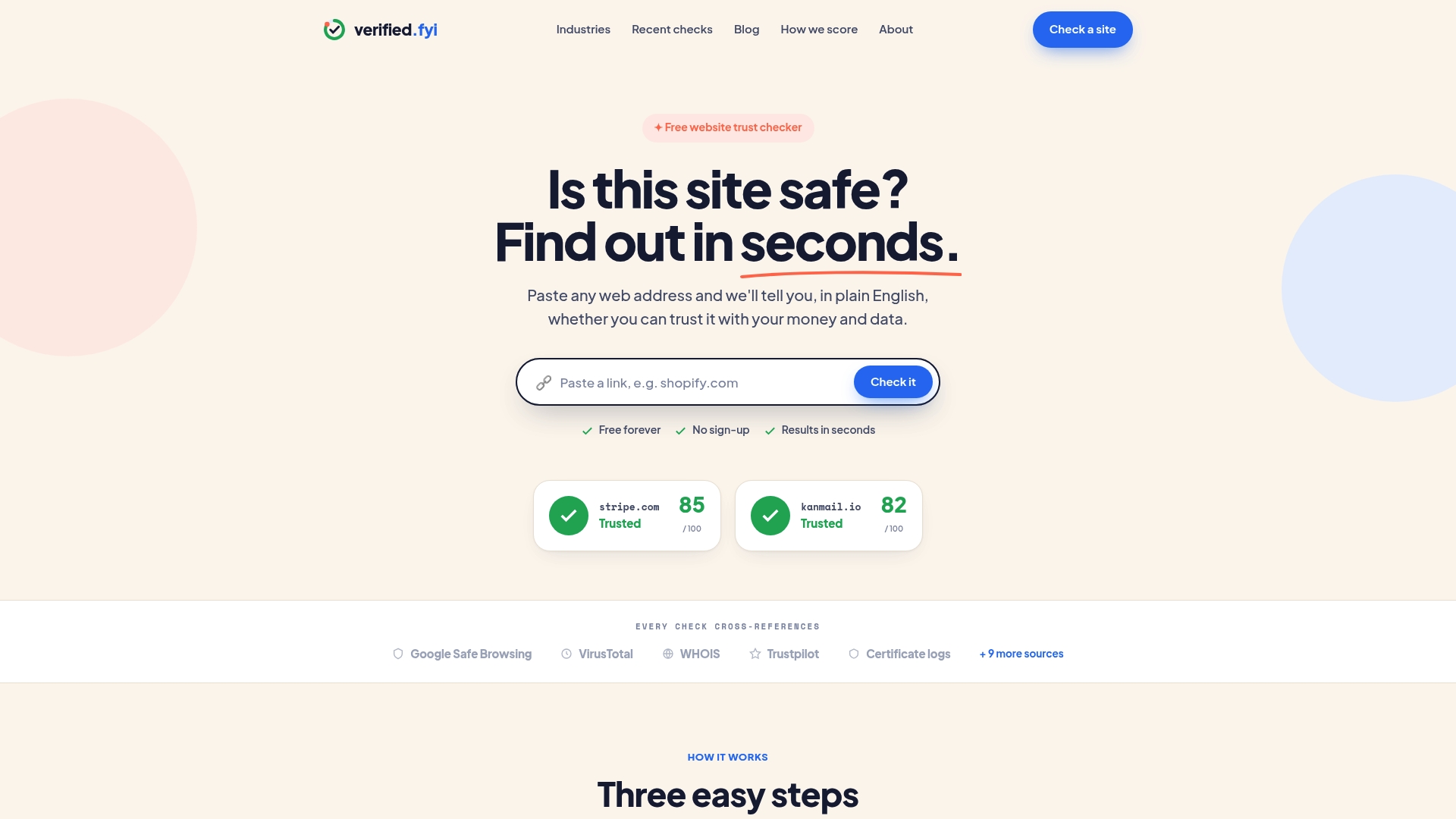
Verified fyi analyzes over 200 security and reputation signals for any URL you paste in, returning a trust score from 0 to 100 in seconds. You can also browse recently checked websites to see what other parents and users are flagging right now. If a site your child wants to visit has already been reviewed, you get the verdict without doing the work yourself. Verified fyi is not a replacement for the checklist approach described above, but it is the fastest first filter available. Start there, then dig deeper on anything that scores below 70.
FAQ
What is the first thing to check on a website for child safety?
Check for HTTPS encryption in the browser address bar first. It confirms the connection is encrypted, though it does not guarantee the site's content is appropriate or safe.
How do I find out if a website is new or established?
Use a WHOIS lookup tool to check the domain's registration date. Sites created within the past few weeks or months carry higher risk than those with years of history.
What does a parent site safety checklist include?
A solid checklist covers HTTPS status, domain age, privacy policy clarity, parental consent requirements, advertising quality, moderation of interactive features, and independent reputation reviews.
Why do children not report unsafe online experiences?
Children who fear parental anger are less likely to disclose distressing online experiences. Creating a low-judgment environment at home is the most effective way to encourage disclosure.
Can I rely on parental control software to keep my child safe online?
Parental controls at the router and device level add an important layer of protection, but technical filters alone are inadequate without active supervision and open communication with your child.