TL;DR:
- Fake company websites impersonate legitimate businesses to steal money and personal data.
- Detecting these sites involves analyzing URLs, verifying contact info, and examining payment methods for red flags.
A fake company website is a fraudulent site designed to impersonate a legitimate business, steal personal data, or collect payment for goods that never arrive. The industry term for this threat is "website fraud," and it covers everything from cloned storefronts to entirely fabricated businesses. Knowing how to spot fake company websites is no longer optional. Americans lost $16.6 billion to online scams in 2024, a 33% increase over the prior year. That figure means scammers are getting better, faster, and harder to detect without a clear checklist.
How to spot fake company websites by analyzing URLs first
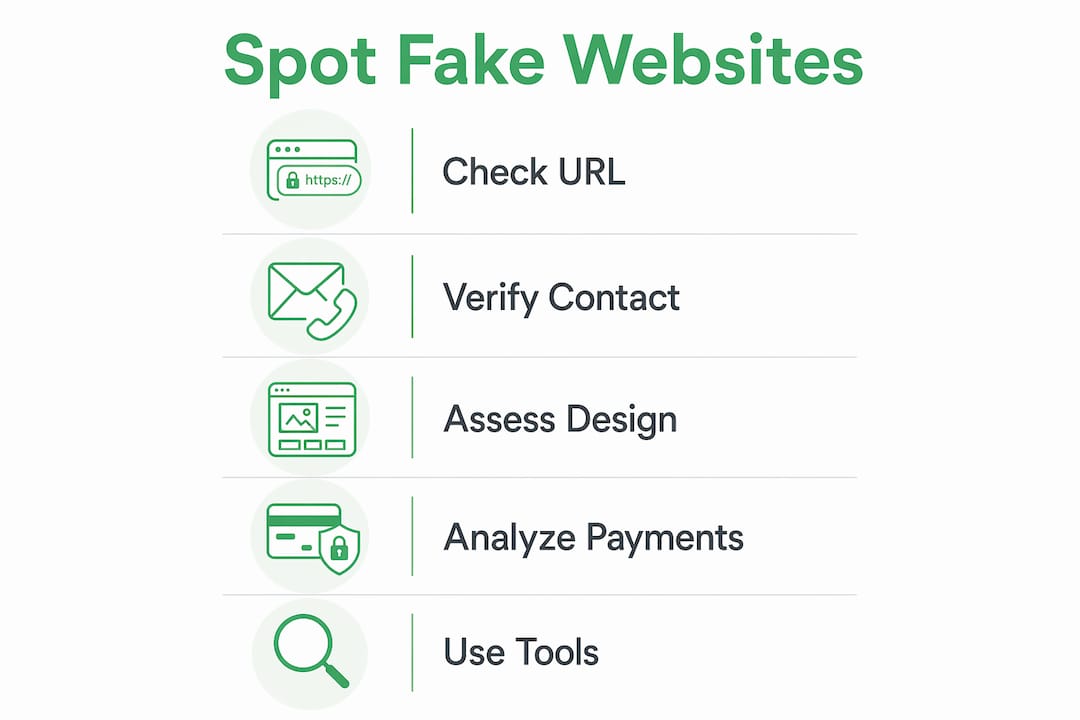
The URL is the fastest signal you have. Fraudsters manipulate domain names in ways that are easy to miss at a glance. Common tactics include character substitutions like swapping the letter "o" for the number "0" (think amaz0n.com instead of amazon.com), adding extra words (amazon-secure-login.com), or using misleading subdomains (amazon.fakesite.com).
Watch for these URL red flags:
- Extra words or hyphens inserted into a brand name
- Country-code domains used to mimic global brands (e.g., .co instead of .com)
- Subdomains that put the real brand name before a suspicious root domain
- Misspellings that are one character off from the real site
Domain age is another powerful signal. Fake sites often register domains weeks before launching a scam, then claim to have been in business for years. A free WHOIS lookup reveals the exact registration date and registrant details. If a site claims a decade of history, but its domain is three months old, that is a definitive red flag.
SSL certificates matter, but they are not a guarantee of safety. A missing "https://" and padlock icon means the site lacks basic encryption, which is a serious risk. That said, scammers now routinely obtain free SSL certificates, so HTTPS alone does not confirm legitimacy.
Pro Tip: Hover over any link before clicking it. Your browser displays the true destination URL in the status bar. If the visible text says one site but the URL shows another, do not click.
What does poor website design reveal about a site's legitimacy?
A legitimate business invests in its web presence. Scam sites often cut corners in ways that are visible once you know what to look for.
- Blurry logos or mismatched fonts across pages
- Broken links that lead to error pages or unrelated content
- Stock photos used as "team photos" (reverse image search confirms this instantly)
- Grammar errors, awkward phrasing, or sentences that read like machine translations
- Missing or vague "About Us" pages with no real company history
Transparency is a non-negotiable for real businesses. A legitimate company publishes a clear mission statement, a named leadership team, and detailed policies on returns, privacy, and terms of service. Scam sites either omit these entirely or copy them word-for-word from another site.
Content quality also extends to product descriptions. Fake sites often paste manufacturer copy without editing it, leaving in placeholder text or inconsistent pricing across pages. If a product page reads like a rough draft, treat it as a warning.

Pro Tip: Check that the site's navigation actually works. Click through to the privacy policy, return policy, and contact page. Scam sites frequently link these pages but leave them blank or redirect to the homepage.
How to verify contact information and business credentials
Real companies make it easy to reach them. Legitimate businesses provide a verifiable physical address, a professional email on their own domain, and a working phone number. Scam sites do the opposite.
Here is a step-by-step approach to validating contact details:
- Check the email domain. A business using a Gmail or Hotmail address for customer service is a strong red flag. Real companies use addresses like [email protected].
- Verify the physical address. Paste the address into Google Maps. If it shows a vacant lot, a residential home, or nothing at all, the address is fabricated.
- Call the phone number. Disconnected lines, voicemail-only numbers, or numbers that ring to unrelated businesses confirm the contact details are fake.
- Search government databases. Company registration checks through official government or regulatory databases confirm whether a business is legally registered. In the US, state Secretary of State websites list registered entities for free.
- Search the company name plus "scam" or "review." This surfaces complaints from other users who have already encountered the site.
A contact form with no other contact options is a deliberate barrier. Scammers use forms because they control what information they respond to and when.
What payment methods signal a scam website?
Payment options tell you a great deal about a site's intentions. Fraudsters favor cryptocurrency, wire transfers, and gift cards because these methods offer no buyer protection and are nearly impossible to reverse.
Watch for these payment red flags:
- Cryptocurrency as the only or primary payment option
- Wire transfers requested before goods are delivered
- Gift cards accepted as payment for products or services
- No recognizable payment gateway (Visa, Mastercard, PayPal, or similar)
- Pressure to pay immediately to "lock in" a price
Fake reviews often accompany these payment tactics. Fabricated reviews tend to be uniformly positive, use generic language ("great product, fast shipping"), and cluster around the same posting dates. Cross-check reviews on independent platforms like the Better Business Bureau or Trustpilot. If reviews only exist on the site itself, treat that as suspicious.
Pro Tip: Legitimate sites always offer at least one payment method with built-in buyer protection. If a site pushes you toward an unprotected method, stop the transaction.
Advanced checks: website cloning and verification tools
Website cloning is a specific and sophisticated form of fraud. Scammers copy an entire site's visuals, content, and structure to create a near-perfect replica. Detecting cloned sites requires brand monitoring tools that scan the web for unauthorized copies of a site's content and flag them for takedown.
For shoppers, the practical test is simpler. If a site looks identical to a brand you trust but the URL is slightly different, you are likely on a cloned site. Report it to the real brand immediately.
One underused detection method: the fake password test. Phishing sites often accept any password you enter without returning an error. Their goal is to harvest credentials, not authenticate you. If you type a deliberately wrong password and the site logs you in anyway, leave immediately and change your real password for that account.
| Check | What it detects |
|---|---|
| WHOIS domain age lookup | Newly registered domains masquerading as established businesses |
| Fake password test | Phishing login pages that accept any credential |
| Reverse image search | Stolen team photos and product images |
| Government registration search | Unregistered or fictitious business entities |
Verified fyi analyzes over 200 security and reputation signals to produce a trust score for any URL. Paste a suspicious address and get a verdict in seconds, which is faster than running each manual check individually. You can also review AI-driven website safety analysis to understand how these signals are weighted.
Spotting red flags in marketplace listings follows the same logic. Scam tactics on marketplaces mirror those on standalone fake sites, so the skills transfer directly.
Key takeaways
The most reliable way to identify a fraudulent website is to combine URL analysis, contact verification, and payment method checks rather than relying on any single signal.
| Point | Details |
|---|---|
| URL analysis is the first check | Look for character swaps, misleading subdomains, and mismatched domain ages via WHOIS. |
| SSL alone is not enough | HTTPS confirms encryption but not legitimacy; scammers obtain free certificates routinely. |
| Contact details must be verifiable | Real businesses use domain-based emails, listed addresses, and working phone numbers. |
| Payment method reveals intent | Cryptocurrency, wire transfers, and gift cards signal a scam; secure gateways signal legitimacy. |
| Cross-check reviews externally | Reviews that only appear on the site itself and cluster by date are almost always fabricated. |
What I've learned from watching scam sites evolve
The sophistication gap between fake and real websites has closed dramatically. Three years ago, a scam site was easy to spot: broken English, a missing padlock, a Gmail contact address. Today, scammers use AI to generate polished copy, buy SSL certificates in minutes, and clone entire storefronts pixel-by-pixel.
The check that still catches most of them is the one people skip most often: the WHOIS lookup. A site claiming 10 years in business with a domain registered last month is lying. That single data point collapses the entire facade. I've seen this catch scams that passed every visual test.
The other underrated check is the fake password test. Most people assume a login page is real if it looks real. It isn't. Phishing sites accept any input because authentication is not their goal. Type a nonsense password. If it works, you are on a phishing page.
My honest advice: treat every unfamiliar site as guilty until proven innocent. The manual checks in this guide take under five minutes. That is a reasonable trade for avoiding a financial loss that could take months to recover from, if recovery is possible at all.
— Nick
Check any website's trust score before you buy
Scam sites are built to look trustworthy. Manual checks help, but they take time and require knowing exactly what to look for.

Verified fyi analyzes over 200 security and reputation signals for any URL and returns a trust score from 0 to 100 in seconds. The platform uses AI to weigh signals that most readers would never think to check, from domain registration patterns to email authentication records. Browse recently checked websites to see real-time scam alerts, or paste any URL directly at verified.fyi for an instant safety verdict. No account required.
FAQ
What is a fake company website?
A fake company website is a fraudulent site that impersonates a real business or invents one entirely to steal money, data, or login credentials from visitors.
How do I verify a website's legitimacy quickly?
Run a WHOIS lookup to check domain age, confirm the site uses HTTPS, and search the company name plus "scam" in a search engine. Verified fyi automates these checks and returns a trust score in seconds.
What are the biggest signs of a fraudulent website?
The clearest signs include a recently registered domain, no verifiable contact details, payment methods like cryptocurrency or wire transfer only, and reviews that only appear on the site itself.
Can a website with HTTPS still be a scam?
Yes. Scammers obtain free SSL certificates routinely, so HTTPS confirms encryption but not the site owner's identity or intentions. Always combine the HTTPS check with domain age, contact verification, and review analysis.
How do I identify fake client company sites targeting professionals?
Phishing attacks targeting professionals often arrive via fake vendor portals or client brief emails. Verify the sender's domain, check the site's registration date, and never enter credentials on a site you reached through an unsolicited link.