TL;DR:
- Most Shopify scams originate from individual sellers misusing the platform, not from Shopify itself. Verifying stores with tools like Verified fyi helps prevent falling victim to fake stores and phishing scams. Enabling two-factor authentication and promptly reporting fraudulent activity are essential for protecting both shoppers and merchants.
Shopify itself is not a scam. It's a publicly traded company that processed a very large volume of merchant sales recently. The fraud headlines you keep seeing? Almost all of them trace back to individual sellers who misuse Shopify's platform, not to Shopify's infrastructure failing you. That distinction matters for how you protect yourself.
Here's what you're actually up against:
- Fake product stores built by unverified merchants on Shopify's checkout system
- Phishing emails impersonating Shopify to steal your login credentials
- Callback phishing through the Shop order-tracking app, using fake receipts
- Fraudulent chargebacks targeting small business owners
- "Shopify coach" scams promising guaranteed income for an upfront fee
- Account takeover attacks using stolen passwords or recovery codes
Table of Contents
- Common Shopify scam types and how to spot them
- What Shopify's security actually covers, and where it stops
- How to protect yourself before you buy or sell
- How Verified fyi helps you check Shopify stores before you trust them
- What to do if you've already been scammed
- Real cases that show how these scams play out
- How Shopify vets merchants, and where the gaps are
- Reporting a Shopify scam to the right authorities
- Key Takeaways
- FAQ
Common Shopify scam types and how to spot them
Shopify scams almost always originate from unverified merchants misusing the platform rather than from any flaw in Shopify itself. Knowing the specific types helps you catch them before they cost you.
For shoppers:
- Fake product stores: A merchant lists products, collects payment, and ships nothing or sends a cheap substitute. Red flags include no physical address, vague return policies, and prices that seem too good.
- Phishing emails: Scammers send messages styled to look exactly like Shopify communications, claiming your account is suspended or a payout is on hold. The sender address is the tell: legitimate Shopify emails only come from
@shopify.com,@email.shopify.com, or@em.shopify.com. - Shop app callback phishing: Scammers insert fake purchase receipts into the Shop order-tracking app, impersonating brands like Norton, Apple, and PayPal. A phone number in the fake receipt connects you to a scammer posing as support. Poor grammar and suspicious contact info in those receipts are the clearest warning signs.
- Invoice fraud via Shopify's email servers: Sophisticated attackers send fraudulent invoices through Shopify's own transactional email infrastructure, so SPF, DKIM, and DMARC authentication all pass. The only red flag is a personal Gmail address in the Reply-To header instead of a business domain.
For merchants:
- Fake orders and overpayment scams: A buyer sends payment exceeding the order total, then asks for a refund of the difference. The original payment was made with a stolen card and never clears.
- Chargeback fraud: A customer receives goods, then disputes the charge with their bank, claiming the item never arrived. You lose the product and the payment.
- "Shopify coach" scams: Ads promise $100K months from a done-for-you Shopify store. After paying a high upfront fee, merchants receive generic templates or nothing at all.
- Account takeover: Scammers use leaked credentials or inbox-flooding tactics to hide real security alerts while accessing your account.
What Shopify's security actually covers, and where it stops
Shopify is PCI DSS compliant and uses SSL encryption to protect payment processing. That's a real layer of protection for card data in transit. Shopify also monitors for phishing domains and only requests sensitive documents through secure upload pages starting with app.shopify.com.
What Shopify's security does not cover:
- Individual merchant fraud, fake products, or misleading store descriptions
- Chargebacks initiated by buyers after receiving goods
- Scams that happen entirely outside Shopify's payment system, such as fake supplier deals or phishing emails sent to your personal inbox
- Non-refundable payment processing fees that merchants still owe after a fraudulent chargeback
Shopify's official phishing guidance is clear: the company never asks for sensitive information through email text, images, or attachments. Any message doing so is not from Shopify. The platform's infrastructure protects the checkout layer. Everything above it, including who the merchant is and whether the product is real, is your responsibility to verify.
How to protect yourself before you buy or sell
For shoppers:
- Verify any Shopify store before entering payment details. Check for a physical address, a real return policy, and working contact information.
- Use site verification tools to check a store's trust score before you purchase.
- If you see a Shop app receipt for something you didn't buy, do not call the number listed. Go directly to your bank or the brand's official website to check for an actual charge.
- Look for HTTPS in the URL bar before entering any personal data.
For merchants:
- Enable two-factor authentication (2FA) on your Shopify account. It's the most effective defense against account takeover. Use an authenticator app rather than SMS codes, since scammers can intercept text-based codes through SIM swapping.
- Never issue refunds outside the Shopify system, and always wait for payment confirmation before shipping.
- Use Shopify's built-in fraud analysis tool, which flags high-risk transactions based on IP address, card details, and order history.
- Learn to recognize phishing email tactics so you can catch impersonation attempts before they reach your credentials.
Pro Tip: If a suspicious email or message claims to be from Shopify, don't reply or click any link. Open a new browser tab, go directly to shopify.com, and check your admin panel. Real alerts always appear there.
How Verified fyi helps you check Shopify stores before you trust them

The core problem with Shopify-related fraud is that a store can look completely legitimate while being run by a bad actor. Verified fyi addresses that gap directly. The platform analyzes over 200 security and reputation signals using AI, then delivers a trust score from 0 to 100 for any website you paste in.
Key features that matter for Shopify store verification:
- Instant analysis of domain age, SSL status, WHOIS data, and blacklist records
- Reputation signals drawn from user reports and security databases
- A clear verdict: safe, risky, or unknown, with the reasoning shown
- No account needed. Paste a URL and get results in seconds.
When you're unsure about a Shopify store, checking it on Verified fyi before entering your card details takes less time than reading the return policy. You can also browse recently checked websites to see what other users have flagged, which is useful when a store is brand new and has no review history yet.
What to do if you've already been scammed
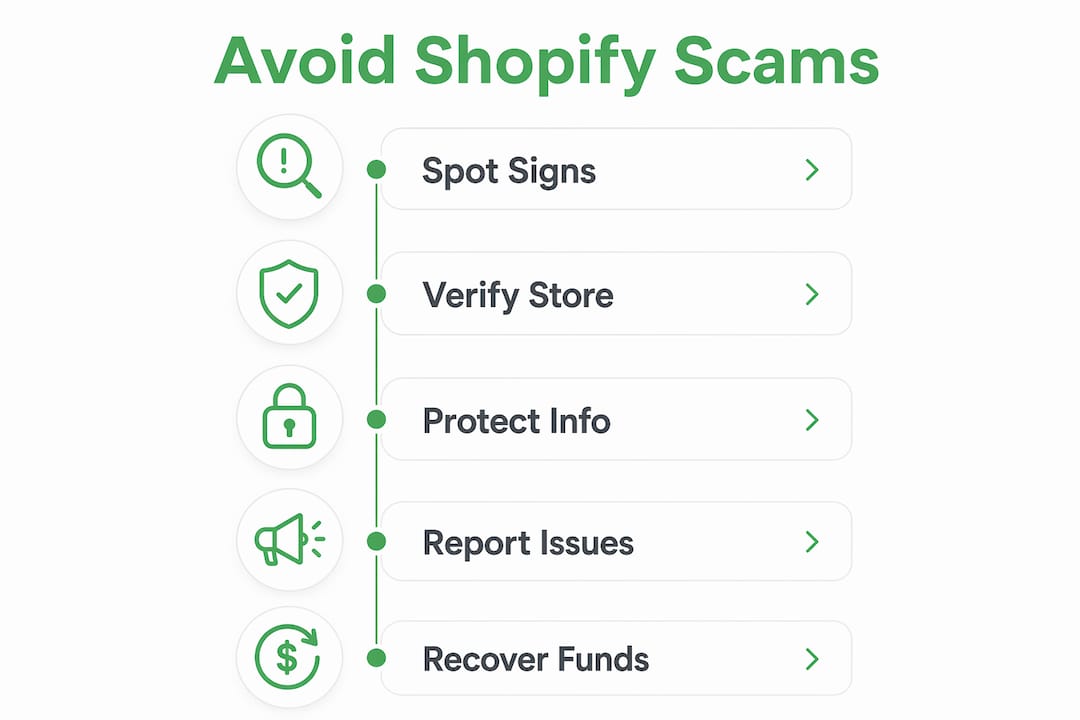
Speed matters. The faster you act, the better your chances of recovering funds or limiting damage.
If you're a shopper who paid through a credit card or debit card, contact your card issuer immediately to dispute the charge. Banks handle fraud recourse directly. Shopify itself cannot issue refunds for purchases made through third-party merchant stores. Consumers often assume the Shopify name provides buyer protection, but card issuers handle fraud recourse, not the platform.
If you shared login credentials or one-time codes with a scammer, reset your Shopify password immediately from a different device. Revoke any connected apps you don't recognize, and contact Shopify Support to check for unauthorized account access.
For merchants hit by chargeback fraud, document everything: shipping confirmation, tracking numbers, delivery photos, and all customer communications. Submit this evidence through Shopify's dispute process promptly.
Real cases that show how these scams play out
Two cases from the United States illustrate the real financial stakes.
Lost Girls Vintage, a Chicago shop, had its Shopify account accessed by scammers who flooded the owner's inbox with spam to hide security alerts from Shopify. By the time the owner found the real messages, someone had opened a line of credit in the store's name and charged a significant sum of money. The shop had two-factor authentication enabled, but the scammers used a recovery code to bypass it.
A Halifax merchant, KingsPIER Vintage, experienced a different pattern: buyers picked up luxury vintage clothing in person, then disputed the charges with their banks weeks later. MacNutt lost both the merchandise and the income. Shopify retained its processing fees and charged a $15 fraud fee per transaction. Fraud victimization consultant Vanessa Iafolla described the outcome plainly: "They're out the money, they're out the item. And then to add insult to injury, they're also out all of these extra fees."
How Shopify vets merchants, and where the gaps are
Shopify requires merchants to agree to its Terms of Service and collects basic business information during signup. The platform uses automated fraud detection and can suspend stores that violate its policies. For high-risk categories, additional verification may apply.
The gaps are real, though. Shopify does not independently verify that a merchant's products exist, that their business is registered, or that their contact information is accurate. A bad actor can create a store, list fake products, and begin accepting payments with minimal friction. Shopify's role is to provide the tools, not to audit every seller using them.
Reporting a Shopify scam to the right authorities
If you've been defrauded through a Shopify store, report it to the Federal Trade Commission at reportfraud.ftc.gov. For internet-based fraud, the FBI's Internet Crime Complaint Center (IC3) at ic3.gov accepts reports and tracks patterns across cases. Your state attorney general's office may also have a consumer protection division that handles e-commerce fraud.
Report the specific store to Shopify through the Shop app or by forwarding phishing messages to Shopify's phishing inbox. This helps Shopify identify and suspend bad actors faster. If your financial data was exposed, file a report with your local police department as well, since some banks require a police report number to process fraud claims.
Key Takeaways
Most Shopify scams come from third-party merchants misusing the platform, not from Shopify itself, and your fastest protection is verifying any unfamiliar store before you pay.
| Point | Details |
|---|---|
| Shopify is legitimate | It's a publicly traded company; scams come from individual sellers, not the platform. |
| Shop app phishing is active | Fake receipts inside the Shop app impersonate brands like Norton and Apple to steal credentials. |
| 2FA is your best account defense | Use an authenticator app, not SMS codes, since recovery codes and SIM swapping can bypass text-based 2FA. |
| Card issuers handle shopper recourse | Shopify cannot refund purchases from third-party stores; dispute charges directly with your bank. |
| Verify stores before you pay | Tools like Verified fyi analyze 200+ signals and return a trust score in seconds. |
FAQ
Is Shopify itself a scam?
No. Shopify is a legitimate, publicly traded company that processed a very large volume of merchant sales recently. Most scam complaints describe individual third-party sellers, not Shopify as a company.
How can I tell if a Shopify store is fake?
Check for a physical address, a working contact email, and a clear return policy. Use a site verification tool like Verified fyi to analyze the store's domain age, SSL status, and reputation signals before entering payment details.
What should I do if I see a fake receipt in the Shop app?
Do not call any phone number listed in the receipt. Go directly to your bank or the brand's official website to check whether a charge actually exists, then report the suspicious store inside the Shop app.
Can Shopify refund me if a merchant scams me?
Shopify cannot directly refund purchases made through third-party merchant stores. Contact your card issuer to dispute the charge. If the payment went through Shopify Payments, contact Shopify Support for guidance on the chargeback process.
How do merchants protect their Shopify accounts from takeover?
Enable two-factor authentication using an authenticator app rather than SMS, use a unique password not shared with other services, and monitor your inbox for sudden waves of spam, which scammers use to hide real security alerts.