TL;DR:
- Empty or incomplete websites often indicate scams because legitimate businesses invest in operational content and verifiable information.
- Visual polish and HTTPS do not guarantee safety since scammers can easily mimic professional design and secure connections.
- Using tools like Verified fyi helps quickly identify high-risk sites by analyzing more than 200 security signals, reducing guesswork and deception risks.
An empty website is defined as a site with missing subpages, broken links, placeholder text, or no real operational content. These structural gaps are one of the most reliable scam indicators available to you as a browser. Cybersecurity researchers have identified over 100,000 AI-generated sites impersonating nearly 200 major brands, most built with shallow, empty structures designed to deceive quickly. Understanding why empty websites signal scam risk gives you a concrete, practical filter you can apply before you hand over any personal or financial information.

Why empty websites signal scam risk
Empty or incomplete websites reveal a fundamental truth: legitimate businesses invest in their online presence, and scammers do not. A real company needs a working "About Us" page, a functional "Terms of Service," a real privacy policy, and verifiable contact details. When those pages are missing, broken, or filled with generic filler text, the site fails the most basic test of operational legitimacy.
Cybersecurity research lists missing or non-functional subpages among the top 11 red flags for unsafe websites in 2026. That ranking matters because these pages are cheap and easy to build. If a site skips them, it is almost certainly not planning to be around long enough to need them.
Scammers prioritize speed over substance. Their goal is to collect payment or personal data before you notice anything is wrong. An empty site is the digital equivalent of a pop-up store with no inventory in the back room.
What structural features make a website look suspicious?
Shallow websites share a recognizable pattern of structural failures. Knowing what to look for takes the guesswork out of your safety check.
The most common warning signs include:
- Missing policy pages. No "Privacy Policy," no "Terms of Service," or pages that exist but load as blank or error screens.
- Broken navigation links. Buttons and menu items that go nowhere or loop back to the homepage.
- Placeholder text. Generic "Lorem ipsum" copy or vague, templated product descriptions that could apply to any product.
- No real product or service depth. A homepage with images but no actual catalog, pricing, or detailed descriptions.
- Fake or absent contact information. A contact form that resets without sending, a phone number that rings to nothing, or a street address that does not exist.
AI-assisted website builders like Vercel's v0 allow scammers to clone convincing frontends in minutes. The catch is that these tools rarely produce functional backends or interconnected content. The homepage looks polished. Everything behind it is hollow.
Pro Tip: Click at least three internal links on any unfamiliar site before you trust it. If two or more are broken or redirect to the homepage, treat that as a hard stop.
How do domain age and digital footprint reveal scam sites?
A shallow website rarely exists in isolation. It almost always comes with a thin or nonexistent digital history. That combination is a strong scam signal.
Short-lived domains are a primary tactic scammers use to avoid detection. A site registered last week that claims to be an established retailer is contradicting itself. You can check domain registration dates for free using WHOIS lookup tools, which show when a domain was created and who registered it.
Beyond domain age, look for these digital footprint gaps:
- No social media presence. Legitimate businesses maintain active profiles on at least one major platform. A site with no linked social accounts, or accounts created recently with no posts, signals a disposable operation.
- No search history. If a Google search for the company name returns no news, no reviews, and no mentions outside the site itself, that absence is telling.
- No archived content. The Wayback Machine at archive.org shows whether a site has any history. A brand claiming years of operation with no archived pages has a credibility problem.
Consistent public identity across platforms is a genuine trust signal. Scam sites copy generic content or leave policy pages broken because they have no real identity to maintain. Operational maturity, meaning years of verifiable activity, is something you cannot fake quickly.
Why a polished look and HTTPS do not mean a site is safe
Visual polish is the most common misconception in online safety. A site can look professional and still be fraudulent. The same applies to the padlock icon in your browser's address bar.
Here is what the padlock actually tells you, and what it does not:
- HTTPS encrypts your connection. It means data traveling between your browser and the server is protected from interception. It says nothing about whether the site itself is honest.
- Scammers use HTTPS too. Getting an SSL certificate costs nothing and takes minutes. The padlock icon is widely misunderstood as a safety guarantee, but it is not one.
- Fake trust badges are common. Images of security seals or payment logos can be copied from any legitimate site and pasted onto a fraudulent one. A real trust badge links to a verifiable third-party certification page. Click it and check.
- AI-generated design is now indistinguishable from professional design. The rise of AI-assisted cloning means visual polish is no longer a proxy for trust. A site that looks like a Fortune 500 brand may have been built in an afternoon.
The stronger signals are operational. Does the site have a real, verifiable phone number? Does the address appear on Google Maps? Do the policy pages contain actual legal language, or generic filler? These details are harder to fake than a clean homepage. For a deeper look at what makes a site credible, the guide on essential website security features covers the technical indicators that go beyond surface appearance.
How to spot empty scam websites before they cause harm
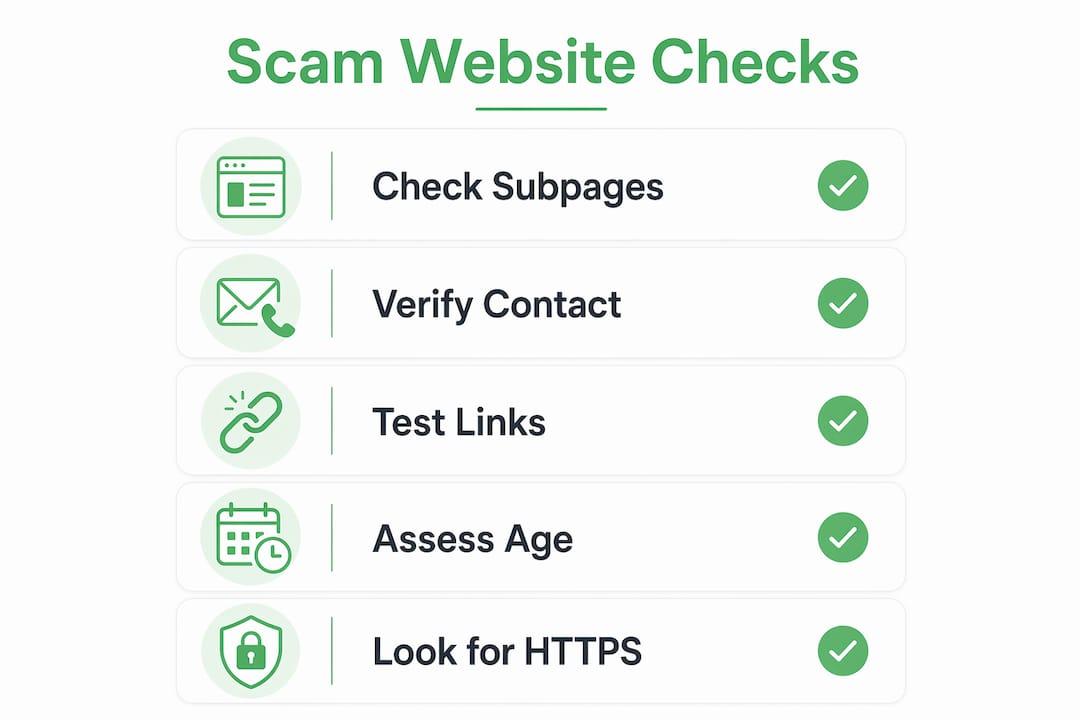
Practical detection takes less than five minutes if you know what to check. Use this process every time you land on an unfamiliar site before entering any personal or payment information.
| Check | What to look for | Red flag |
|---|---|---|
| Subpages | About Us, Privacy Policy, Terms of Service | Missing, blank, or broken pages |
| Contact info | Phone, email, physical address | No address, fake form, no response |
| Domain age | WHOIS lookup for registration date | Registered within the last 90 days |
| Social presence | Linked profiles with real activity | No profiles or accounts with no posts |
| Payment methods | Standard options like credit cards | Only wire transfer or cryptocurrency |
Fake contact forms that reset without sending data are a particularly reliable scam signal. Legitimate businesses depend on customer communication. A site that blocks it has no intention of supporting you after a purchase.
Pro Tip: Paste any suspicious URL into Verified fyi for an instant safety score based on over 200 security and reputation signals. It takes seconds and removes the guesswork entirely.
Also watch for manufactured urgency and suspicious payment demands, such as countdown timers, "only 2 left" warnings, and requests for wire transfers or gift cards. These tactics pressure you to act before your instincts catch up.
Key Takeaways
Empty websites are the clearest signal of scam risk because they expose a site's lack of operational depth, verifiable identity, and genuine intent to serve customers.
| Point | Details |
|---|---|
| Empty pages are a primary red flag | Missing or broken subpages like Terms of Service indicate a site was built to deceive, not operate. |
| HTTPS does not equal safety | The padlock only encrypts traffic; scammers use it freely alongside polished but hollow frontends. |
| Domain age reveals intent | Sites registered within the last 90 days with no digital history are high-risk by default. |
| Operational maturity is the real trust signal | Verifiable contact info, real social presence, and archived content separate legitimate sites from scams. |
| Verification tools remove guesswork | Running a URL through a site safety checker catches risks your eye might miss in seconds. |
What I keep seeing that most people miss
I have reviewed hundreds of flagged websites over the years, and the pattern that surprises people most is how convincing the bad ones look on the surface. The homepage is clean, the fonts are right, the product photography is sharp. Then you click "About Us" and get a 404 error. You try the contact form and it resets. You search the company name and find nothing older than three weeks.
The misconception I run into constantly is that people treat visual quality as a proxy for legitimacy. That assumption made sense ten years ago. It does not hold in 2026. AI tools have made professional-looking design accessible to anyone, including people running AI-cloned scam sites at scale. The design budget is no longer a barrier.
What scammers cannot fake quickly is operational history. They cannot manufacture years of archived pages, consistent social media activity, or a phone number that actually connects to a human. Those are the checks worth your time. Train yourself to look past the homepage and into the structure behind it. That habit will protect you far more reliably than any padlock icon.
— Nick
Check any site's safety with Verified fyi
Spotting an empty scam website manually takes practice and attention. Verified fyi makes that process faster and more reliable by analyzing over 200 security and reputation signals for any URL you submit, then delivering a trust score from 0 to 100 in seconds.

You do not need technical knowledge to use it. Paste a URL, get a verdict. The recently checked websites page also shows you what other users have flagged, so you can stay current on active scam sites without doing all the research yourself. If you want to understand how the scoring works, the methodology page breaks down exactly what signals the platform weighs and why. For anyone who shops, banks, or browses online regularly, it is a practical first line of defense.
FAQ
What makes a website "empty" in a scam context?
An empty website lacks functional subpages, real contact information, or verifiable content. Missing "About Us," "Privacy Policy," or "Terms of Service" pages are among the top red flags for fraudulent sites.
Does HTTPS mean a website is safe to use?
No. HTTPS only encrypts the connection between your browser and the server. Scammers routinely use HTTPS on fraudulent sites, so the padlock icon alone is not a reliable safety indicator.
How can I check a website's domain age?
Use a free WHOIS lookup tool to see when a domain was registered. Sites registered within the last 90 days with no digital history carry significantly higher scam risk.
Can AI-generated websites fool experienced users?
Yes. AI-assisted cloning tools produce polished frontends that look professional but lack functional backends. Even experienced users should check subpages and contact details, not just the homepage design.
What is the fastest way to verify a suspicious website?
Paste the URL into Verified fyi, which analyzes over 200 signals and returns a trust score instantly. You can also check the unsafe website signs guide for a manual checklist.