TL;DR:
- Site verification confirms that an online store is legitimate, secure, and trustworthy before any purchases.
- Relying solely on HTTPS and the padlock icon is insufficient, as scammers can easily obtain SSL certificates.
Site verification is the process of confirming that an online store is legitimate, secure, and safe to buy from before you hand over your money or personal data. Fake storefronts are more convincing than ever, and the stakes are real. 89% of shoppers have abandoned a purchase because a website raised doubts about its legitimacy. Understanding why site verification protects shoppers is the first step toward spending online with confidence rather than anxiety.
Why site verification protects shoppers from scams
Site verification is the structured process of checking a website's technical security, business identity, and reputation signals before you trust it with your money. The industry term for this practice is website trust assessment, and it goes well beyond a quick glance at a URL. Tools like Verified fyi analyze over 200 signals and return a single trust score from 0 to 100, giving you a fast, clear verdict.
The core protective layers work like this:
- HTTPS and SSL certificates confirm that data traveling between your browser and the site is encrypted. This is a non-negotiable baseline, not a full safety guarantee.
- Business identity checks confirm that a real, registered company stands behind the site. This includes legal name, physical address, and verifiable contact details.
- Third-party trust badges from recognized verification services signal that an independent party has reviewed the site's legitimacy. Trust badges carry real weight: 82% of shoppers trust sites that display them.
- Verified purchase reviews from external platforms like Google or Trustpilot add a layer of social proof that is harder to fake than on-site testimonials.
- Domain age and WHOIS records reveal how long a site has been active. A store selling luxury goods that registered its domain three weeks ago is a red flag.
Progressive verification adds stronger checks for higher-risk transactions. A $12 phone case purchase requires less scrutiny than a $600 electronics order. Matching your verification effort to the transaction value is a practical way to protect yourself without making every purchase feel like a security audit.
Pro Tip: Before buying from an unfamiliar site, paste the URL into Verified fyi. You get a trust score in seconds, which tells you whether deeper manual checks are worth your time.
Why the lock icon alone is not enough in 2026
The padlock icon in your browser's address bar does not mean a site is safe. It means your connection to that site is encrypted. SSL certificates only prove that data travels securely between you and the server. They say nothing about who owns that server or what they plan to do with your payment details.
Scammers know this. Obtaining an SSL certificate is free and takes minutes through services like Let's Encrypt. Most shoppers mistakenly treat the padlock as a trust signal, which is exactly the assumption fraudsters exploit.
Here is what the lock icon cannot tell you:
- Whether the business is legally registered
- Whether the physical address listed on the site is real
- Whether the product you order will ever arrive
- Whether the site is a lookalike clone of a legitimate brand
AI-generated fake sites now replicate the visual polish of real stores with alarming accuracy. Lookalike domains, fake ads, and social media scams are active threats in 2026. Traditional red flags like poor grammar or blurry logos are no longer reliable indicators of fraud. A site can look flawless and still be a scam.
Pro Tip: Check the domain name carefully. Scammers use subtle misspellings like "amaz0n.com" or add words like "official" or "store" to clone a trusted brand. Read the full URL out loud. Your eye glosses over these variations; your voice does not.
Verification methods compared: technical, identity, and reputation checks
No single verification method catches every threat. The most effective approach combines technical checks, seller identity confirmation, and reputation signals. Each layer catches different types of fraud.
| Verification type | What it confirms | What it misses |
|---|---|---|
| HTTPS / SSL certificate | Encrypted data transfer | Merchant legitimacy or intent |
| Domain age and WHOIS | How long the site has existed | Whether the business is currently operating honestly |
| Legal business registration | Registered company name and address | Whether the address is real and reachable |
| Third-party trust badges | Independent legitimacy review at a point in time | Ongoing behavior after badge was issued |
| Verified purchase reviews | Real buyer experiences | Fake reviews or review manipulation |
| AI trust scoring (e.g., Verified fyi) | Aggregated signal across 200+ factors | Newly launched scam sites with no history |
Verifying seller identity means checking legal business registration, a real physical address, and transparent policies on returns and privacy. Shoppers who confirm multiple evidence lines gain significantly higher confidence than those who rely on one signal alone.
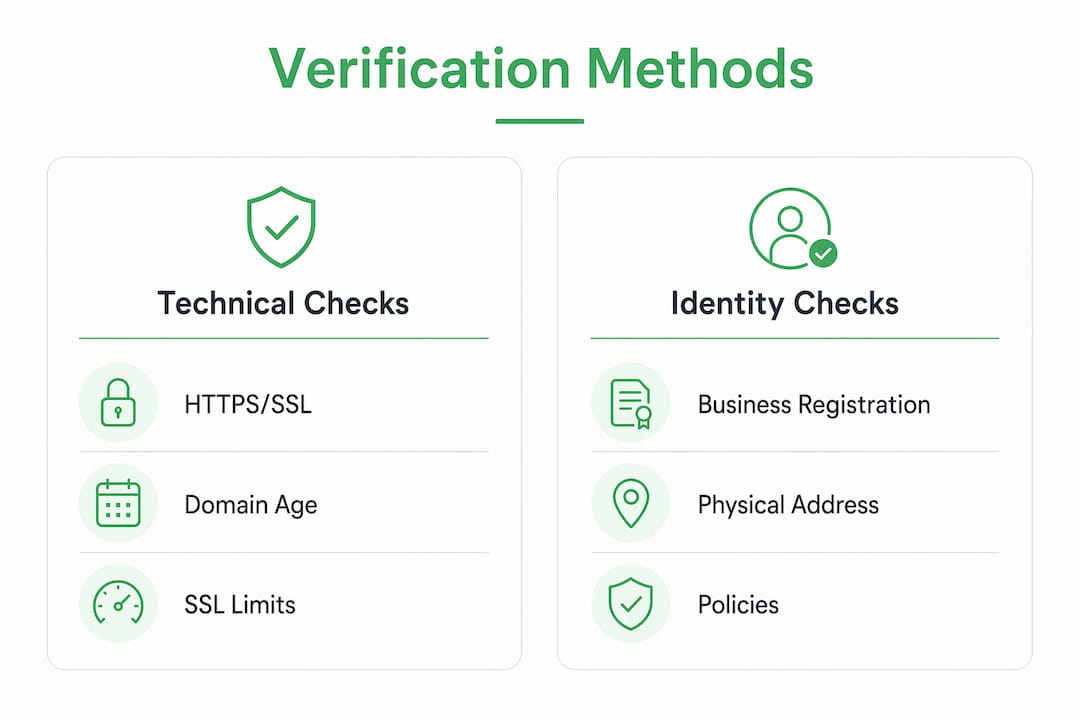
The key insight is that verification must identify contradictions between signals. A site can pass a technical SSL check while listing a fake address and an unreachable phone number. Catching that contradiction requires checking all three layers, not just one.
Practical steps to verify a site before you buy
Checking a site's safety does not require technical expertise. A consistent checklist takes under five minutes and catches the majority of scam sites.
- Check the URL carefully. Look for misspellings, extra words, or unusual domain extensions like .sbs or .shop on sites claiming to be major brands.
- Look up the domain age. Free WHOIS tools show when a domain was registered. Sites less than six months old selling high-value goods deserve extra scrutiny.
- Confirm contact information. Search the listed address on Google Maps. Call or email the support contact before purchasing. Fake sites rarely respond.
- Read external reviews. Check Google Reviews, Trustpilot, or the Better Business Bureau. Ignore reviews hosted only on the site itself.
- Review the policies. A legitimate site has a clear return policy, privacy policy, and terms of service. Vague or missing policies are a red flag.
- Use a site safety tool. Paste the URL into Verified fyi or check website trust factors to get a structured safety assessment.
Using virtual cards and sharing minimal personal data reduces your exposure even if a site turns out to be compromised. Reserve your primary card and full address for merchants you have verified thoroughly.
Pro Tip: For your first purchase from a new site, buy a low-cost item. If the transaction goes smoothly and the product arrives as described, you have real evidence of legitimacy before committing to a larger order.
Key takeaways
Site verification protects shoppers by combining technical, identity, and reputation checks that no single signal like HTTPS can provide on its own.
| Point | Details |
|---|---|
| HTTPS is not enough | SSL certificates confirm encryption only, not merchant legitimacy or intent. |
| Layer your checks | Combine technical, identity, and reputation signals to catch contradictions scams rely on. |
| AI fakes raise the stakes | AI-generated storefronts look legitimate; verified trust scores and domain checks cut through the illusion. |
| Match effort to risk | Apply stricter verification to high-value purchases; lightweight checks work for low-risk transactions. |
| Limit your exposure | Use virtual cards and share minimal data until a merchant is fully verified. |
The verification gap most shoppers still ignore
I have spent years watching shoppers get burned not by obviously shady sites but by convincing ones. The scams that succeed in 2026 are not the ones with broken English and stock photo logos. They are the ones that pass every visual check and still take your money.
The uncomfortable truth is that verification signals are becoming the main differentiator between real and fake sites precisely because AI has erased the visual gap. A scam site today can have a professional design, a working SSL certificate, and fake five-star reviews. What it cannot easily fake is a consistent, verifiable business history across multiple independent sources.
What I find most shoppers still skip is the contradiction check. They see a padlock, skim the homepage, and buy. They never ask whether the address is real, whether the domain is two weeks old, or whether any external platform has ever heard of this seller. That gap is where fraud lives. Staged verification that scales with transaction risk is not paranoia. It is the only approach that actually works when the threats are this sophisticated. Treat every unfamiliar site as unverified until the evidence says otherwise.
— Nick
How Verified fyi makes site safety checks instant
Checking a site's trustworthiness used to mean opening five browser tabs and hoping you asked the right questions. Verified fyi changes that by analyzing over 200 security and reputation signals and returning a single trust score in seconds.
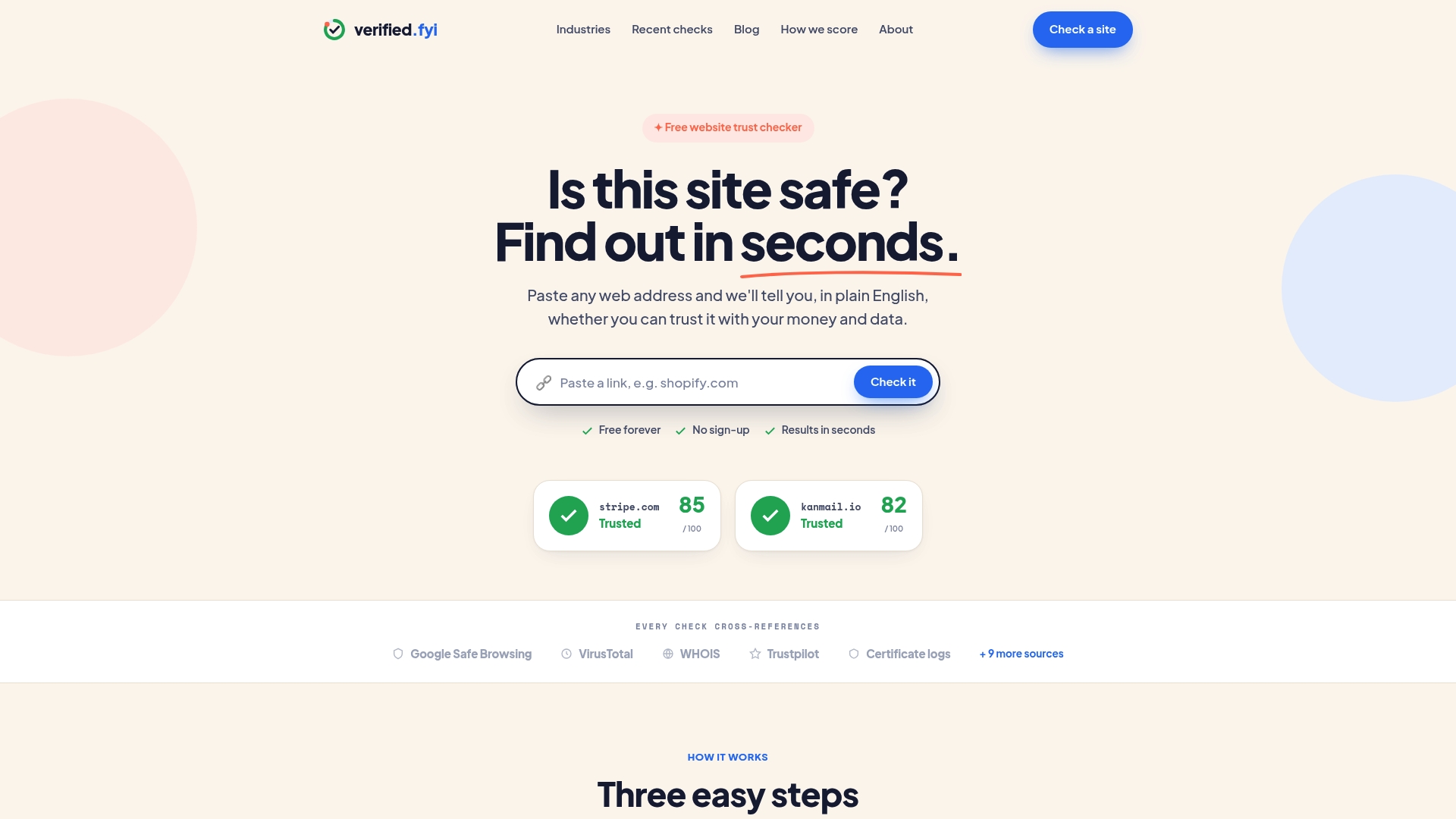
Paste any URL into Verified fyi and you get a clear verdict: safe, risky, or unknown. The platform's recently checked websites database lets you see what other shoppers have already flagged, so you benefit from collective scrutiny without doing all the work yourself. Whether you are checking an unfamiliar electronics store or a deal that showed up in your social media feed, Verified fyi gives you the signal you need before you spend a dollar.
FAQ
What does site verification actually check?
Site verification checks technical signals like HTTPS and domain age, business identity details like registered address and contact info, and reputation signals like external reviews and trust badges. The goal is to confirm that a real, legitimate business operates the site.
Does HTTPS mean a website is safe to buy from?
No. HTTPS confirms that your connection to the site is encrypted, but SSL certificates do not verify merchant identity or intent. Scammers routinely use HTTPS on fraudulent sites.
How can I quickly check if a site is a scam?
Paste the URL into a trust scoring tool like Verified fyi, which analyzes over 200 signals and returns an instant verdict. Also check the domain age, look for external reviews, and confirm the listed contact details are reachable.
Why do fake sites look so convincing now?
AI tools allow scammers to build professional-looking storefronts quickly, complete with polished copy and realistic product images. Visual inspection alone is no longer a reliable way to spot fraud.
What payment method is safest on an unverified site?
A virtual card or a payment service like PayPal offers the strongest protection. Limiting the data you share reduces your exposure if the site turns out to be compromised.