TL;DR:
- The most reliable sign of a phishing site is the domain name, not visual cues like the padlock.
- Valid SSL certificates and perfect spelling no longer indicate a site is safe in 2026.
Phishing websites are fraudulent pages designed to impersonate legitimate brands and steal your personal information. The single most reliable phishing website warning sign is not the padlock icon or perfect spelling. It is the domain name itself. Over 90% of phishing pages now use valid SSL certificates, which means the padlock tells you almost nothing about whether a site is safe. Attackers have also adopted generative AI to produce flawless, professional-looking pages. Spotting a fake site in 2026 requires a sharper set of skills than most people currently practice.
What are the key phishing website warning signs in the URL?
The domain name is the most trustworthy indicator of a phishing site. Attackers know you scan URLs left to right, so they hide the real domain at the end. Reading a URL right to left, stopping at the first forward slash, reveals the actual registered domain. Everything before that slash is just a subdomain, which anyone can set to anything they want.
Common URL manipulation tactics include:
- Subdomain abuse: A URL like
secure.paypal.com.attacker.netlooks trustworthy at first glance. The real domain isattacker.net, notpaypal.com. - Homoglyph substitution: Attackers swap letters for visually identical characters. The Cyrillic "а" looks identical to the Latin "a" but points to a completely different domain.
- Unusual top-level domains (TLDs): Legitimate banks do not use
.xyz,.top, or.click. Seeing a familiar brand name paired with an unfamiliar TLD is a red flag. - Keyword stuffing in domains: Domains like
amazon-account-verify.comuse brand names to appear credible while the actual registered domain has nothing to do with Amazon.
Phishing sites frequently manipulate URLs using lookalike characters, unusual TLDs, or brand names embedded in subdomains. Users miss these tricks because they stop reading the URL too early. Learning to read the full domain structure is the single most protective habit you can build.
Pro Tip: Never click a link in an email or text message to reach a sensitive site. Type the known domain directly into your browser or use a saved bookmark. This one habit defeats the majority of phishing link attacks regardless of how convincing the page looks.

Why HTTPS and spelling errors no longer signal a fake website
The padlock icon used to mean something. That era is over. More than 90% of phishing pages now carry valid SSL certificates, obtained for free through services like Let's Encrypt. HTTPS only confirms that your connection to the server is encrypted. It says nothing about whether the server itself is malicious.
Grammar and spelling errors are equally unreliable as detection signals now. Generative AI has changed the game entirely.
"A University of Oxford study shows AI-generated phishing material gets clicked more due to 'pixel-perfect' writing without traditional red flags. As of 2026, AI-generated phishing pages have flawless grammar and idiomatic language, rendering spelling checks ineffective as a detection method."
The practical implication is serious. Millions of people were trained to look for typos and the padlock as their primary safety checks. Both signals have been invalidated by modern phishing tactics. Relying on them now creates a false sense of security that attackers actively exploit.
The signals that still matter are structural and behavioral, not cosmetic. A polished page with perfect English and a green padlock can still be a trap.
Behavioral and technical red flags beyond visual appearance
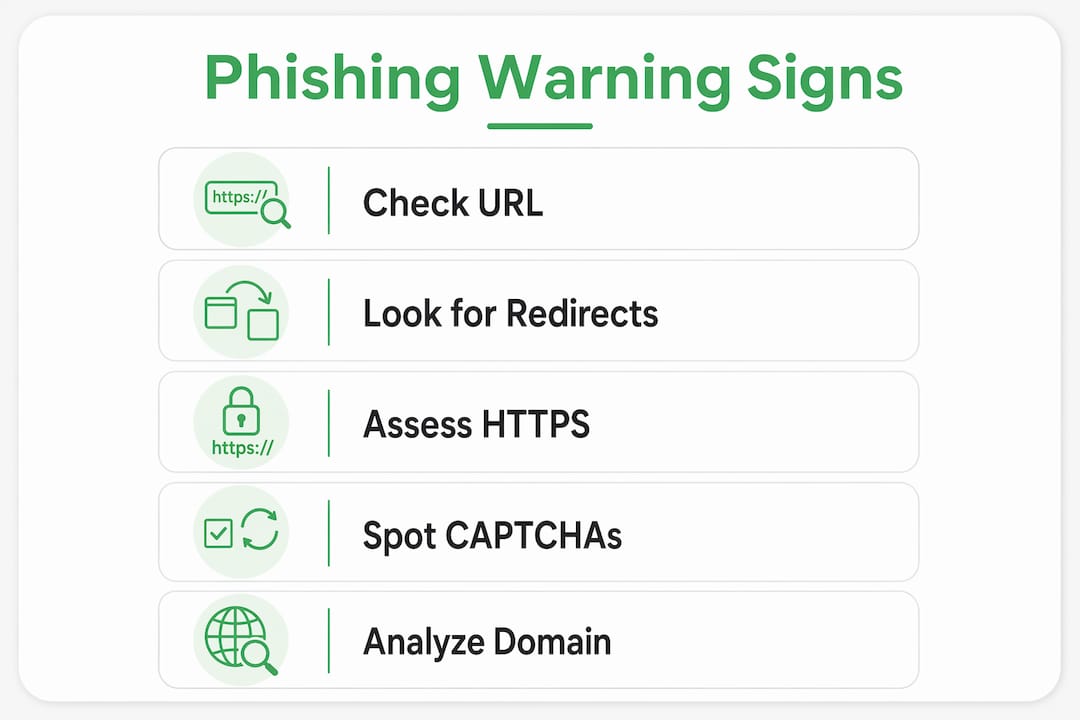
Modern phishing sites do not just look convincing. They behave in ways specifically designed to evade automated detection tools. Phishing sites employ behavioral evasion tactics including redirect chains, human verification gates, and content that only renders after user interaction. These techniques make static inspection nearly useless.
Here are the behavioral red flags to watch for:
- Redirect chains: You click a link and pass through two or three intermediate URLs before landing on the fake page. Each redirect obscures the origin and makes automated tracking harder.
- CAPTCHA gates: Some phishing pages place a CAPTCHA before the malicious content loads. Advanced phishing pages use CAPTCHA specifically to block automated scanners, not to verify you are human.
- JavaScript-dependent content: The page appears blank or generic until your browser executes scripts. The malicious form or credential-harvesting content only appears after that execution.
- Newly registered domains: Phishing domains are often registered days or hours before an attack. A domain with no history, no indexed pages, and no established reputation is a strong warning sign.
| Red flag | What it signals |
|---|---|
| Redirect chain before landing | Attacker is hiding the true origin URL |
| CAPTCHA before content loads | Page is blocking automated security scanners |
| Content changes after page load | JavaScript is rendering malicious elements dynamically |
| Domain registered within days | Short lifespan typical of disposable phishing infrastructure |
Static analysis is insufficient because modern phishing sites change content dynamically and mask key indicators. Understanding this helps explain why even security tools sometimes miss fresh phishing pages. The AI-driven evolution of phishing tactics means behavioral signals are now as important as visual ones.
Pro Tip: If a site asks you to complete a CAPTCHA before showing you a login form, pause. Legitimate sites rarely gate their login pages this way. It is a behavioral pattern worth treating as a red flag.
Practical steps to protect yourself from phishing sites
The best defense against phishing is a combination of habits and verification tools, not just awareness. Knowing the warning signs matters only if you act on them before entering any information.
- Navigate directly, never through links. Typing the URL manually or using a saved bookmark is the most effective single habit against phishing link attacks. Avoid clicking links in emails, texts, or social media messages to reach any site where you log in or pay.
- Check the "About Us" and contact pages. Legitimate businesses provide verified contact information including physical addresses, phone numbers, and working support emails. Broken links, empty pages, or generic contact forms with no verifiable details are strong fraud indicators.
- Recognize urgency as a manipulation tactic. Phishing campaigns use urgency and threat-based messaging to make you act before you think. Messages claiming your account will be suspended, a payment failed, or legal action is pending are designed to bypass rational evaluation.
- Enable multi-factor authentication (MFA). MFA means a stolen password alone cannot compromise your account. If you suspect you entered credentials on a phishing site, change your password immediately and review account activity.
- Verify suspicious sites before engaging. Use a dedicated website safety check to assess a site's trust score before entering any personal or payment information.
Pro Tip: Before entering payment details anywhere online, check the site's registration date and look for verified reviews on independent platforms. A site with no history and no reviews is a non-negotiable red flag, regardless of how professional it looks.
Key Takeaways
The most reliable way to identify a phishing site is to analyze the full domain structure, not the visual design or HTTPS status.
| Point | Details |
|---|---|
| Domain analysis is the top defense | Read URLs right to left to find the real registered domain before trusting any site. |
| HTTPS no longer signals safety | Over 90% of phishing pages use valid SSL certificates, so the padlock proves nothing. |
| AI has eliminated grammar as a signal | Generative AI produces flawless phishing pages, making spelling errors an unreliable warning. |
| Behavioral cues reveal evasion tactics | Redirect chains, CAPTCHA gates, and JavaScript-rendered content indicate deliberate scanner evasion. |
| Urgency is a psychological weapon | Threat-based messaging is designed to make you act before you verify. Pause and check first. |
The reflex that actually saves you
What I have observed over years of watching phishing attacks evolve is this: the people who get caught are not careless. They are rushed. Attackers engineer urgency precisely because a calm, skeptical person will almost always catch the signs. The domain looks slightly off. The contact page is empty. The CAPTCHA appears before the login form. None of these are subtle once you know to look.
The uncomfortable truth is that technical defenses have real limits. Security filters miss fresh phishing domains. Padlocks are meaningless. Even AI-powered detection tools, as described in research on explainable AI for phishing detection, struggle with dynamically rendered pages. The arms race between attackers and defenders is ongoing, and the attacker always gets the first move.
What actually works is building the reflex to pause before you act. One second of skepticism, reading the full domain, checking the contact page, asking whether the urgency feels manufactured. That reflex, applied consistently, is more reliable than any single technical tool. Pair it with a habit of verifying unfamiliar sites before engaging, and you close most of the gap that attackers exploit.
— Nick
A faster way to check before you click
Knowing the warning signs is half the work. The other half is having a fast, reliable way to verify a site when you are not sure.

Verified fyi analyzes over 200 security and reputation signals for any website and returns a trust score from 0 to 100 in seconds. You paste the URL, and the platform tells you whether the site is safe, suspicious, or a known scam. The recently checked websites feed shows real-time verdicts on sites other users have flagged, which is useful when a suspicious link is circulating. For anyone who regularly encounters unfamiliar links, making Verified fyi part of your routine is one of the lowest-effort, highest-value safety habits available.
FAQ
What is the most reliable phishing website warning sign?
The domain name is the most reliable indicator. Read the full URL right to left to identify the actual registered domain, and look for subdomain abuse, homoglyphs, or unusual TLDs.
Does HTTPS mean a website is safe?
No. Over 90% of phishing pages use valid SSL certificates. HTTPS only confirms the connection is encrypted, not that the site itself is legitimate.
How do phishing sites evade security scanners?
Phishing sites use redirect chains, CAPTCHA gates, and JavaScript-rendered content to hide malicious elements from automated detection tools, making behavioral analysis necessary.
Can AI-generated phishing pages be spotted by grammar checks?
No. Generative AI now produces phishing pages with flawless grammar and professional writing, making spelling and grammar errors an unreliable detection method as of 2026.
What should I do if I think I entered data on a phishing site?
Change your password immediately, enable multi-factor authentication on the affected account, and monitor for unauthorized activity. Report the site to your browser's phishing reporting tool.