TL;DR:
- Website trust factors include security, transparency, social proof, and identity signals that establish safety. Layered signals across these categories surpass reliance on any single badge to build client confidence. The most trustworthy sites display verifiable review, clear policies, and security elements at all decision points.
Website trust factors for clients are specific credibility signals that tell you whether a site is safe to use, share data with, or buy from. These signals span security, transparency, social proof, and identity. Platforms like Trustpilot, Stripe, and PayPal have become shorthand for safety because their presence on a site carries real weight. Knowing what to look for before you click "buy" or enter your email is the difference between a safe transaction and a costly mistake.
1. What are the main website trust factors clients should look for?
A structured credibility model divides website trust factors into eight categories: identity, expertise, authority, social proof, security, transparency, recency, and guarantee signals. Each category addresses a different type of risk you face as a visitor. Together, they form a complete picture of whether a site deserves your confidence.
Here is what each category covers:
- Identity signals: Physical address, named founders, phone number, and a verifiable About page
- Expertise signals: Credentials, certifications, industry memberships, and author bios
- Authority signals: Press mentions, awards, backlinks from known publications
- Social proof: Customer reviews, testimonials, case studies, and client logos
- Security signals: HTTPS, SSL certificates, and recognized payment processor logos
- Transparency signals: Clear pricing, refund policies, privacy policies, and cookie consent
- Recency signals: Recent blog posts, updated copyright year, and fresh reviews
- Guarantee signals: Money-back guarantees with specific timeframes, clear return windows
Multiple aligned signals across these categories build stronger trust than any single badge. A site with HTTPS but no contact info and no reviews still raises red flags.
Pro Tip: Do not rely on one strong signal to override weak ones elsewhere. Check all eight categories before you commit.

2. Which social proof elements most effectively build client trust?
Social proof is one of the highest-impact categories for building client trust online. Named testimonials with a photo, a job title, and a measurable outcome carry far more weight than anonymous quotes. "We reduced onboarding time by 40%" from a named client at a real company is credible. "Great service!" from "John D." is not.
The most effective social proof signals include:
- Named testimonials with photos and verifiable company affiliations
- Third-party reviews on platforms like Trustpilot, Google, or G2 that you can click through and verify
- Case studies with specific metrics and client names
- Client logos from recognizable brands
- Star ratings displayed with review counts, not just an average
Reviews and testimonials should be recent, ideally within the past two years, and hosted on independent platforms rather than only on the site itself. A site that controls all its own reviews gives you no way to verify them. Quantity matters less than specificity and recency. Ten detailed, verifiable reviews outperform 200 generic five-star ratings every time.
Pro Tip: Check whether testimonials link to real profiles or company pages. If they do not, treat them as unverified.
3. How do transparency and clear policies influence client trust?
Transparency is a non-negotiable for any site asking you to hand over money or personal data. Clear pricing, a named owner or team, a physical address, and easy-to-find policies all reduce the perceived risk of engaging with a site. When a site hides this information, that absence is itself a red flag.
Key transparency signals to check:
- Published pricing with no hidden fees revealed only at checkout
- Physical address and named founders or leadership team
- Return and refund policy written in plain language, not legal boilerplate
- Privacy policy that explains exactly what data is collected and why
- Cookie consent that gives you real choices, not just a dismiss button
Responsive communication channels and timely customer service are equally critical. A site with a live chat, a real email address, and a phone number signals accountability. Generic or copied policies reduce client confidence because they suggest the site did not invest in its own standards.
Pro Tip: Link to your refund and privacy policies directly from the checkout page and the footer. Burying them in a sitemap is a trust killer.
4. What security trust signals are essential for clients?
Security signals are the baseline. Without them, no amount of social proof or transparency will overcome a visitor's hesitation. HTTPS and a valid SSL certificate are the minimum. They encrypt data in transit and confirm the site's identity. A missing padlock in the browser bar is a hard stop.
Essential security signals include:
- HTTPS on every page, not just the homepage
- SSL certificate that is current and issued by a recognized authority
- Payment logos for Stripe, PayPal, or Apple Pay near payment forms
- Explicit data statements such as "Payments processed securely by Stripe. We never see or store your card details"
- Clear data handling disclosures explaining what happens to your information
About 18% of US online shoppers abandon purchases specifically because they do not trust the site with their credit card information. That figure shows how directly security signals affect conversion and client retention. Visible payment provider logos like Stripe and PayPal carry implicit trust by association, even when you do not know the merchant personally. Explicit statements outperform generic "Secure Checkout" badges because they name the processor and explain the protection.
Pro Tip: Site speed and the absence of intrusive pop-ups are subtle security trust markers. Slow, ad-heavy sites signal low investment in user safety.
5. Where should trust signals appear on a website?
Placement determines whether trust signals actually work. A security badge buried in the footer does almost nothing at the moment a visitor decides whether to buy. Checkout trust signals are most effective when placed at the point of commitment, directly beside payment forms and call-to-action buttons.
Follow this placement framework:
- Homepage: Brand logo, a brief social proof glimpse (star rating or client count), and one security indicator above the fold
- Service or product pages: Testimonials and guarantees placed near the primary call-to-action button
- Checkout page: Security badge, payment logos, refund policy summary, and money-back guarantee with a specific timeframe
- Contact page: Phone number, email, physical address, and expected response time
- Footer: Links to privacy policy, terms, and refund policy on every page
Clean design, easy navigation, and professional imagery also contribute to first-impression trust. A site that looks polished signals investment and accountability before a visitor reads a single word. Consistent signals across all page zones reinforce each other. One strong signal on the homepage means little if the checkout page feels abandoned.
Key Takeaways
The most effective website credibility strategy layers identity, security, social proof, and transparency signals at every decision point a visitor encounters.
| Point | Details |
|---|---|
| Use all eight trust categories | Check identity, security, social proof, transparency, and guarantee signals together, not in isolation. |
| Prioritize verifiable social proof | Named testimonials with photos and third-party reviews on Trustpilot or Google outperform anonymous quotes. |
| Place security signals at checkout | Stripe and PayPal logos plus explicit data statements near payment forms reduce abandonment. |
| Demand clear, specific policies | Plain-language refund and privacy policies signal accountability; copied boilerplate does the opposite. |
| Treat placement as strategy | Trust signals in footers alone do not work. Position them at every decision point across the site. |
Why layered trust signals matter more than any single badge
The most common mistake I see when auditing sites for credibility is over-reliance on a single trust marker. A site slaps on a generic "Secure" badge and calls it done. That badge does almost nothing if the contact page has no phone number, the reviews are three years old, and the refund policy is a paragraph of legalese copied from a template.
What actually moves the needle is alignment. When Google's E-E-A-T framework places trustworthiness as its most important factor, it is not looking for one signal. It is looking for patterns. The same logic applies to real visitors. They scan a site in seconds, and their gut reaction is shaped by the cumulative weight of everything they see, not one padlock icon.
My practical advice: before you transact with any unfamiliar site, run a quick audit across at least four categories. Check for HTTPS, look for named contact information, find at least one verifiable third-party review, and read the refund policy. If any of those are missing or vague, that is your answer. Client expectations in 2026 are higher than ever, and sites that have not kept up with transparent, layered trust signals are the ones most likely to disappoint or deceive.
— Nick
How Verified fyi helps you check website trust instantly
Knowing what website trust factors to look for is only half the work. Checking them manually on every unfamiliar site takes time most people do not have.
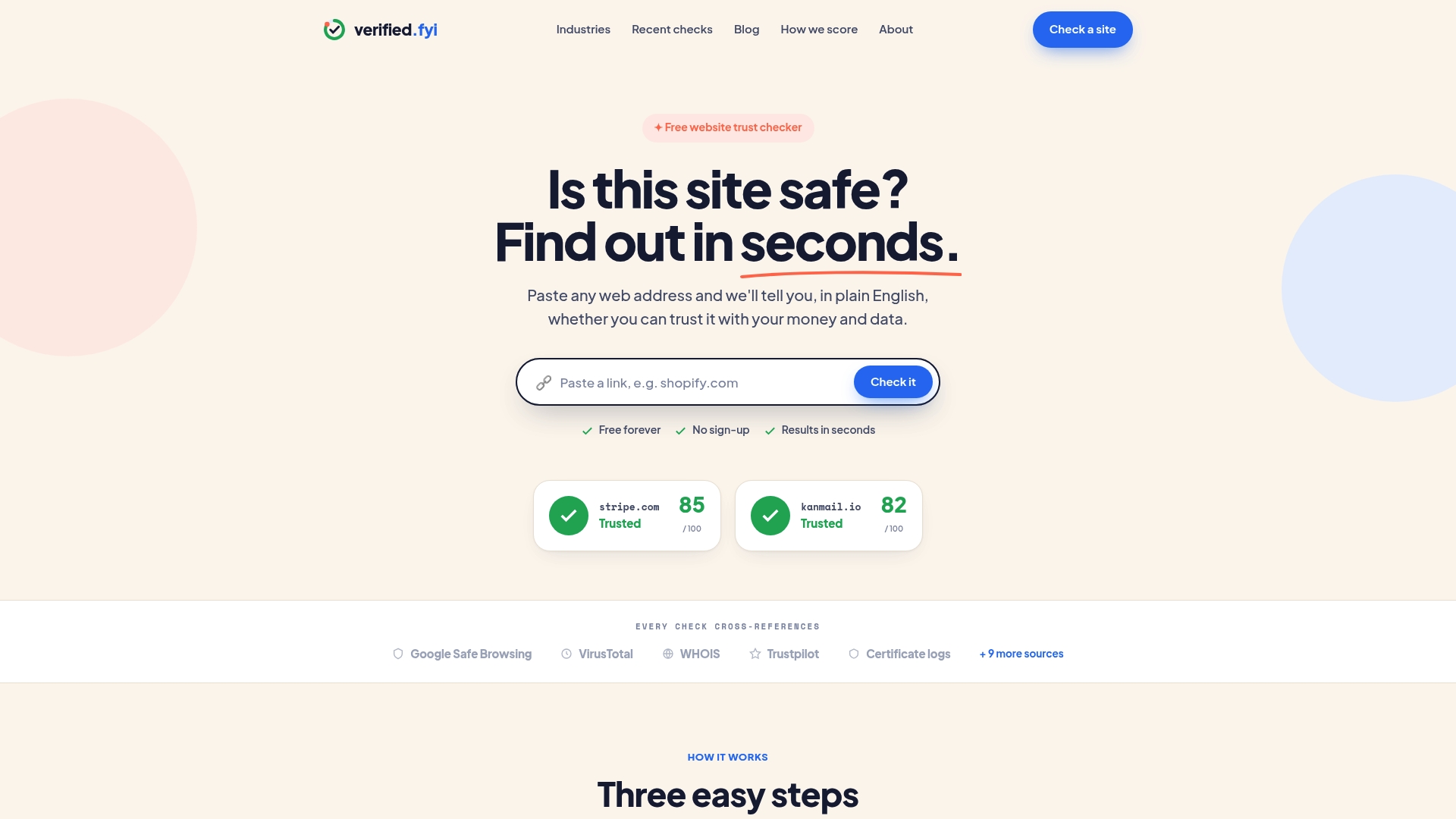
Verified fyi analyzes over 200 security and reputation signals for any website and returns a trust score from 0 to 100 in seconds. The platform uses AI to weigh signals across security, identity, and reputation, then delivers a clear verdict on whether a site is safe to use. You can browse recently checked websites to see real assessments of sites other readers have flagged, or paste any URL directly into Verified fyi to get your own instant report. No guesswork, no manual digging through policies and WHOIS records.
FAQ
What are the most important website trust factors for clients?
The most critical factors are HTTPS, verifiable third-party reviews, clear contact information, and transparent refund and privacy policies. A structured eight-category model covering identity, security, social proof, and guarantees gives you the most complete picture.
How can I tell if a website's reviews are trustworthy?
Check whether reviews appear on independent platforms like Trustpilot or Google, and confirm they are recent, ideally within the past two years. Generic or unverifiable testimonials hosted only on the site itself are a red flag.
Why do payment logos like Stripe and PayPal build trust?
Payment provider logos carry implicit security trust by association with known, regulated processors. An explicit statement naming the processor and explaining data handling is more effective than a generic "Secure Checkout" badge.
What is the biggest security red flag on a website?
A missing HTTPS padlock is the clearest single red flag. Beyond that, about 18% of US shoppers abandon purchases due to credit card trust concerns, which points to missing payment logos and vague data policies as the next most critical gaps.
Where should I look for trust signals on an unfamiliar site?
Check the homepage for identity and social proof, the checkout page for security and payment logos, and the footer for links to policies. Trust signals placed at decision points like checkout are the most reliable indicators of a site's commitment to client safety.