
TL;DR:
- Suspicious redirects push users to harmful or unintended websites without their knowledge, often through hidden steps.
- They use techniques like redirect chains, URL shorteners, and domain mimics to obscure malicious destinations.
A suspicious redirect is defined as any web navigation process that sends you to a harmful or unintended destination without your knowledge or consent. The industry term for the underlying mechanism is a "malicious redirect" or "open redirect," and security frameworks like OWASP and the NIST Cybersecurity Framework 2.0 both recognize these as significant threats. Attackers use them to steal credentials, deliver malware, and run phishing scams. The danger is real and growing, because most browsers hide the intermediate steps entirely, leaving you with no visible warning until it is too late.
What is a suspicious redirect and how does it work?
A suspicious redirect occurs when a URL sends your browser through one or more intermediate destinations before landing on a final page you did not intend to visit. Web redirects themselves are normal. HTTP status codes like 301 (permanent redirect), 302 (temporary redirect), 307, and 308 are standard tools used by legitimate websites to forward traffic. Attackers abuse these same codes to build chains that obscure where you are actually going.
The most common attacker techniques include:
- Redirect chains: Multiple hops strung together to hide the final malicious destination behind several legitimate-looking domains.
- Shortened URLs: Services that mask the real destination, making it impossible to preview the link before clicking.
- Trust redirects: Attackers route traffic through a reputable domain first, so the initial URL looks safe. Trust redirects are recognized by the NIST Cybersecurity Framework 2.0 as an identity compromise accelerator.
- Open redirect exploitation: OWASP identifies unvalidated redirects as a major risk where attackers inject malicious destinations into URL parameters like
redirect,url, andnexton trusted websites. - Cloaking: The same URL delivers harmless content to security scanners but sends malicious payloads to targeted users based on device type, location, or browser.
Redirects involving newly registered domains, domain name mimics, or a downgrade from HTTPS to HTTP are strong indicators of malicious intent. When two or more of these signals appear together, the risk is high.
Pro Tip: Before clicking any shortened link in an email or social media message, paste it into a redirect chain checker to trace every hop without exposing your browser to the chain.

What are the security risks of suspicious redirects?
Suspicious redirects carry serious consequences that go well beyond a minor inconvenience. The primary risks include:
- Malware infection: A redirect chain can silently drop malware onto your device the moment the final page loads.
- Phishing and credential theft: You land on a fake login page that looks identical to a real one. You enter your password. It goes straight to an attacker.
- Scams and fraud: Redirects funnel users to fake shopping sites, fake prize pages, or fraudulent payment portals.
- Performance degradation: Each redirect hop adds 100–500ms of latency, which is a noticeable slowdown on mobile connections and a silent signal that something is wrong.
The human factor makes this worse. Most people assume that if the first domain in a link looks familiar, the destination is safe. That assumption is exactly what trust redirect attacks exploit.
Treating the first domain in a redirect chain as sufficient evidence of safety is a dangerous misconception. Attackers deliberately route traffic through reputable domains to bypass both user suspicion and automated filters, making the final malicious destination nearly invisible until it is too late.
Detection is also harder than it sounds. Malicious redirect chains use cloaking and conditional logic to show benign content to security bots while delivering harmful payloads to real users. A standard security scan may clear a URL that is actively attacking visitors.
How can you identify and investigate suspicious redirects?
You do not need to be a security professional to spot a suspicious redirect. You need a few practical habits and one browser tool.
Observable warning signs to watch for:
- The URL in your address bar changes unexpectedly after you click a link.
- You land on a login page for a site you did not navigate to directly.
- A download prompt appears immediately after clicking a link.
- The domain in the final URL is misspelled or uses a different extension than expected.
- Unexpected redirects to login pages or download prompts are among the strongest red flags security researchers document.
Using browser developer tools:
Your browser's Network tab is the most direct way to see what is happening behind the scenes. Browser developer tools with the Network tab and "Preserve log" enabled show every redirect hop, the HTTP status code for each step, and the Location header that points to the next destination. Open DevTools (F12 in most browsers), click the Network tab, enable Preserve log, then click the suspicious link. Every hop appears in the request list.
| Signal | What it means |
|---|---|
| HTTPS to HTTP downgrade | Encryption removed mid-chain, exposing your data |
| Newly registered domain in chain | High-risk indicator, common in phishing campaigns |
| Domain name mimic (e.g., paypa1.com) | Impersonation attempt |
| More than 3 redirect hops | Obfuscation tactic, investigate before proceeding |
URL parameter containing redirect or url |
Possible open redirect exploitation |
Users only see the final URL in their browser's address bar. The intermediate hops that may be hostile are completely invisible without developer tools or a dedicated checker.
Pro Tip: Check sites flagged by suspicious links against a site safety review before you engage. A few seconds of verification beats hours of recovering from a compromised account.
What steps can you take to protect yourself?
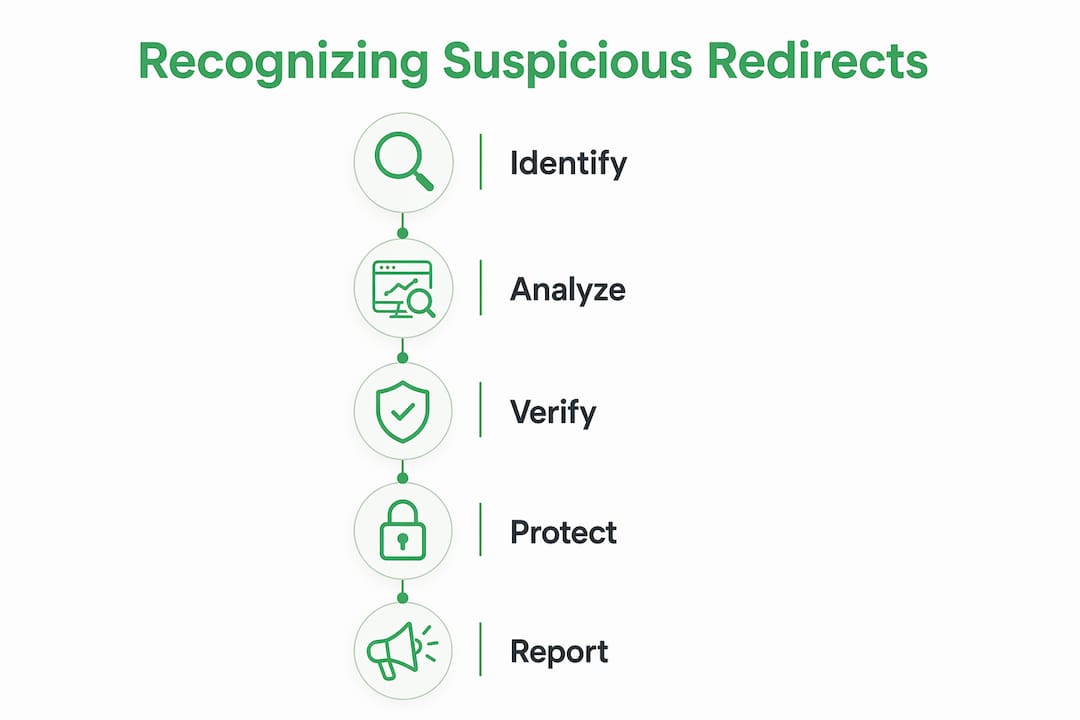
Protecting yourself from malicious redirects comes down to consistent habits, not technical expertise. Apply these practices every time you browse:
- Verify URLs before clicking. Hover over any link to preview the destination. If the preview URL looks unfamiliar or uses a URL shortener, do not click without checking first.
- Never authenticate via a forwarded link. Security experts recommend going directly to a site by typing the address or using a saved bookmark rather than clicking links in emails or messages.
- Use browser security extensions. Extensions that flag known malicious domains add a layer of protection before a redirect chain completes.
- Keep antivirus and antimalware software current. Updated security software catches many known malicious payloads even when a redirect chain delivers them.
- Treat unexpected download prompts as red flags. A legitimate site does not trigger a file download the moment you arrive. Close the tab immediately.
- Check shortened links before clicking. Shortened links appear in 1 out of every 10 phishing attempts. Always expand them first.
- Use a site verification service. Paste any unfamiliar URL into Verified fyi to get an instant safety score based on over 200 security signals before you visit.
For a broader look at what makes a website dangerous, the guide on common unsafe website signs covers the full range of red flags beyond redirects.
Key Takeaways
Suspicious redirects are one of the most effective attack methods online because they exploit both technical invisibility and human trust in familiar domain names.
| Point | Details |
|---|---|
| Definition is clear | A suspicious redirect sends users to a harmful destination without consent, often through multiple hidden hops. |
| Trust redirects are dangerous | Attackers route traffic through reputable domains first to bypass user suspicion and security filters. |
| Browser tools reveal hidden hops | The Network tab in developer tools shows every redirect step that the address bar conceals. |
| Key warning signs exist | HTTPS to HTTP downgrades, domain mimics, and unexpected login prompts all signal a suspicious redirect. |
| Habits beat tools alone | Never authenticate via a forwarded link; always verify URLs manually for sensitive sites. |
The redirect threat most people still underestimate
The part of this problem that genuinely concerns me is not the technical sophistication of the attacks. It is how completely the browser UI fails the average user. Your address bar shows you one URL. It tells you nothing about the three or four domains your traffic just passed through to get there. That invisibility is not a bug attackers found. It is the design they built their entire strategy around.
I have seen users confidently click links because the first domain looked like a brand they recognized. That is the trust redirect working exactly as intended. The reputable domain is the bait. What follows is the trap. The NIST Cybersecurity Framework 2.0 labels this an identity compromise accelerator for good reason.
The fix is not a single tool. It is a habit of skepticism. Treat every forwarded link as unverified until you have checked the full chain. Use developer tools when something feels off. Expand shortened URLs before clicking. And for sites you have never visited before, run a quick check through Verified fyi. Attackers evolve their methods constantly. Your awareness needs to keep pace.
— Nick
Check any suspicious site with Verified fyi
Knowing what a suspicious redirect looks like is the first step. Acting on that knowledge before you click is what keeps you safe.

Verified fyi analyzes any website URL against over 200 security and reputation signals and returns a trust score from 0 to 100 in seconds. If a redirect lands you somewhere unexpected, paste that final URL into Verified fyi before you interact with the page. You can also browse recently checked websites to see what other users have flagged, which is a fast way to spot trending scam domains and suspicious redirect destinations before they reach you.
FAQ
What is a suspicious redirect in simple terms?
A suspicious redirect is when a link sends you to a harmful or unintended website, often through hidden intermediate steps, without your knowledge or consent.
Are all website redirects dangerous?
No. Redirects using HTTP codes like 301 and 302 are standard and legitimate. A redirect becomes suspicious when it leads to unexpected domains, downgrades from HTTPS to HTTP, or passes through multiple hidden hops.
How do I check if a link has a suspicious redirect?
Open your browser's developer tools, go to the Network tab, enable "Preserve log," then click the link. Every redirect hop and its HTTP status code will appear in the request list.
What causes suspicious redirects on websites?
Attackers exploit open redirect vulnerabilities in websites by injecting malicious destinations into URL parameters like redirect, url, or next, then sending those manipulated links to targets.
What should I do if I land on an unexpected page after clicking a link?
Close the tab immediately without clicking anything, entering credentials, or downloading files. Then check the original URL using a site verification service like Verified fyi before deciding whether to revisit.