TL;DR:
- Verifying website authenticity before sharing personal data is the best way to prevent fraud.
- Layered checks like domain inspection, SSL validation, and reputation lookups help identify fake sites effectively.
Staying safe on unfamiliar websites means verifying a site's authenticity before you share any personal information, click a download, or complete a transaction. Scams, phishing pages, and fake online stores are more convincing than ever. Fraudsters copy real brand assets, buy legitimate-looking domains, and even secure SSL certificates to appear trustworthy. Knowing how to verify safe websites before you engage is the single most effective defense you have. This guide walks you through the tools, the checklist, and the habits that keep you protected.
What does it mean to stay safe on unfamiliar websites?
Safe browsing on unfamiliar sites is not just about avoiding obvious fakes. The industry term for this practice is website legitimacy verification, and it covers a layered set of checks: URL inspection, SSL validation, reputation lookups, and behavioral analysis. Each layer catches threats the others miss.
The core tools you need before you start:
- URL inspection: Read the domain character by character. Look for swapped letters, added words, or unusual top-level domains like
.shopor.xyzon sites claiming to be major retailers. - SSL certificate check: Click the padlock icon in your browser's address bar and review the certificate details. A padlock only confirms encrypted traffic, not that the site owner is legitimate.
- Google Transparency Report: Paste any URL into Google's free tool to check whether the site appears on known malware or phishing lists.
- VirusTotal: Upload a URL or file to scan it against dozens of security engines simultaneously.
- WHOIS database: Look up a domain's registration date and owner details. Domains less than 60–90 days old are disproportionately linked to fraud and deserve extra scrutiny.
- Updated browser and security software: Modern browsers use real-time databases like Google Safe Browsing to flag known threats. Keep both current.
- Password manager: A good password manager will not autofill credentials on a lookalike domain. That hesitation is your first warning.
| Tool | What it checks | Best for |
|---|---|---|
| Google Transparency Report | Known malware and phishing lists | Quick first pass |
| VirusTotal | Multi-engine URL and file scan | Deeper threat analysis |
| WHOIS lookup | Domain age and registration details | Spotting new or hidden domains |
| Verified fyi | 200+ security and reputation signals | Comprehensive trust scoring |
Pro Tip: Before trusting any padlock icon, click it and read the certificate details. Check that the domain in the certificate matches the site you are visiting exactly.

How do you verify an unfamiliar website step by step?
A structured checklist is the most reliable way to identify fake websites before they cause harm. Work through these steps in order.
-
Inspect the URL carefully. Read every character in the address bar. Typosquatting and lookalike domains use tricks like "arnazon.com" or "paypa1.com." Check for extra subdomains that bury the real domain further right in the address.
-
Validate the SSL certificate. Open the certificate details, not just the padlock. Confirm the domain name matches, the issuer is a recognized certificate authority, and the certificate has not expired. Over 80% of phishing sites now use HTTPS, so a padlock alone proves nothing.
-
Run a reputation and WHOIS lookup. Use the WHOIS database to check the domain's registration date and registrant details. Then run the URL through Google Transparency Report or VirusTotal. A brand-new domain combined with no search history is a serious red flag.
-
Examine the site's content quality. Legitimate businesses display a physical address, phone number, and support email. They also publish clear privacy policies and return policies. Broken links, grammatical errors, and stock photos used as "team photos" all signal a fake.
-
Watch for behavioral red flags. Countdown timers, "only 2 left" pressure tactics, requests for wire transfers or gift card payments, and unsolicited pop-up downloads are non-negotiables. If a site pushes you to act before you think, stop. False urgency is a core scam tactic, and pausing to verify is always the safer move.
Pro Tip: Search the website name alongside the word "scam" or "reviews" in Google before you buy anything. Real user experiences surface fast, and business legitimacy checks like this take under two minutes.
What should you do if you suspect a site is unsafe?
Speed matters when you realize a site may be malicious. The faster you act, the less damage occurs.
- Close the tab immediately. Do not click any links, accept any prompts, or download anything the site offers.
- Delete any unexpected downloads. Run a full malware scan using your security software before opening any files.
- Clear your browser data. Delete cookies and cached data from the session to remove any tracking scripts the site may have planted.
- Change your passwords. If you entered login credentials, change them immediately on every account that shares that password.
- Monitor your financial accounts. Review recent transactions and dispute any unauthorized charges with your bank or card issuer.
- Report the site. Submit the URL to Google Safe Browsing and your national consumer protection agency. This protects other users.
If you shared high-value personal information such as your Social Security number or banking details, enroll in an identity theft protection service right away. Early enrollment limits the window fraudsters have to act on stolen data.
Pro Tip: Set up transaction alerts on your bank accounts and credit cards. You will catch unauthorized charges within minutes, not days.
Practical habits that protect you consistently
One-time checks are not enough. The most effective online safety precautions are habits, not single actions.
Bookmark sites you trust and return to them directly rather than clicking links in emails or ads. A convincing phishing email can redirect you to a near-perfect clone of your bank's login page. Fraudsters copy legitimate brand assets with precision, making visual polish a poor indicator of authenticity.
Be especially careful with links from social media and online marketplaces. Scam listings on platforms like Facebook Marketplace follow predictable patterns. Learning to spot fraudulent listings before you click protects both your money and your personal data.
Effective website safety is about verifying destination, behavior, and context. Relying on design and SSL icons alone leaves you exposed to the most convincing fakes.
Stay current on evolving scam methods by following updates from organizations like the FTC and the Cybersecurity and Infrastructure Security Agency (CISA). Scam tactics shift quickly, and browser blacklists are reactive, meaning they often miss brand-new phishing sites by days or weeks. Your manual vigilance fills that gap.
Key Takeaways
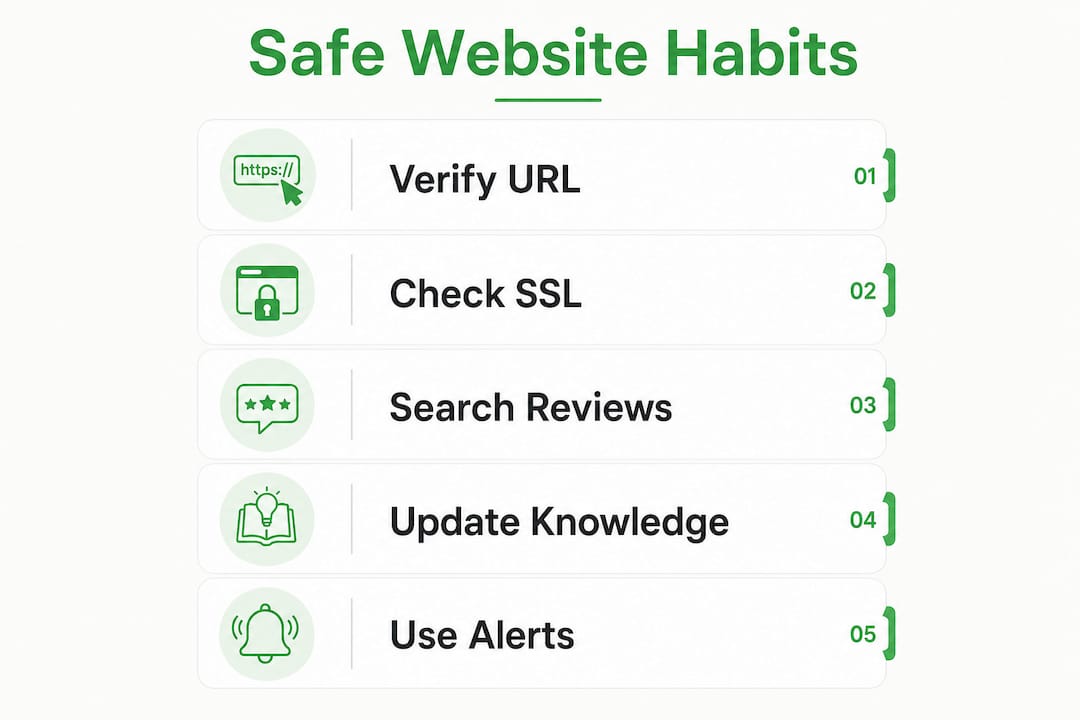
Staying safe on unfamiliar websites requires layered verification: URL inspection, SSL validation, reputation lookups, and behavioral awareness working together.
| Point | Details |
|---|---|
| SSL padlock is not enough | Over 80% of phishing sites use HTTPS; always check certificate details too. |
| Domain age signals risk | Domains under 60–90 days old carry a disproportionate fraud risk. |
| Behavioral red flags matter | Urgency tactics, unusual payment requests, and missing contact info are non-negotiables. |
| Act fast after exposure | Change passwords, clear browser data, and monitor accounts immediately if you shared information. |
| Habits beat one-time checks | Bookmarking trusted sites and verifying links before clicking builds consistent protection. |
The mindset shift most people skip
Most readers focus on tools, and tools matter. But after years of watching people fall for convincing fakes, I am convinced the bigger gap is mindset. People trust what looks polished. A site with a clean layout, a padlock, and a professional logo feels safe. That feeling is exactly what scammers engineer.
The shift I advocate is this: verify behavior and context, not aesthetics. Ask whether the site's domain matches the brand it claims to be. Ask whether the contact information is real and verifiable. Ask whether the urgency you feel is coming from a genuine situation or from a countdown timer someone placed there to stop you thinking. Cyber threats now include sophisticated social engineering that exploits exactly this instinct to trust what looks right.
The readers who stay safest are not the most technically skilled. They are the most skeptical. They pause before they click. They verify before they pay. That habit, more than any single tool, is what keeps them protected.
— Nick
Verified fyi: instant website safety checks
Knowing the steps is one thing. Having a tool that runs them for you in seconds is another.

Verified fyi analyzes over 200 security and reputation signals for any website you submit, then delivers a trust score from 0 to 100 with a clear verdict. You do not need technical knowledge to read the results. Paste a URL, get an answer. The platform is particularly useful when you encounter an unfamiliar online store or an unsolicited link and need a fast, evidence-based read on whether it is safe. Check the recently verified websites to see real-time safety assessments, or go straight to Verified fyi and paste any URL you are unsure about.
FAQ
What makes a website safe to use?
A safe website displays a valid SSL certificate with a matching domain, provides clear contact information and policy pages, and has a clean reputation across tools like Google Transparency Report and VirusTotal.
Is the HTTPS padlock enough to trust a website?
No. Over 80% of phishing sites use HTTPS, so the padlock only confirms the connection is encrypted, not that the site is legitimate.
How do I check if a website is new or suspicious?
Use a WHOIS lookup tool to find the domain's registration date. Domains under 60–90 days old carry a higher fraud risk and warrant extra verification before you interact with them.
What should I do if I already entered my details on a fake site?
Change your passwords immediately, dispute any charges with your bank, and consider enrolling in an identity theft protection service if sensitive personal or financial data was exposed.
How can I verify a website's legitimacy quickly?
Search the site name alongside "scam" or "reviews" in Google, run the URL through Verified fyi or VirusTotal, and check that the domain matches the brand it claims to represent.