TL;DR:
- Unsafe websites often display suspicious URLs with character swaps or mimic brands.
- The presence of HTTPS and a padlock does not guarantee site safety, as scammers also obtain SSL certificates.
An unsafe website is defined as any online destination that exposes you to fraud, data theft, or malware through deceptive design, suspicious technical signals, or manipulative content. Knowing the common unsafe website signs, what security experts call "threat indicators," is the fastest way to protect yourself before you click, enter, or buy anything. Sources including Which?, Dashlane, and Kaspersky's Securelist all confirm that most scam sites share a predictable set of red flags. You just need to know where to look.
1. Which URL characteristics most commonly indicate an unsafe website?
Scrutinizing the web address is the quickest way to spot a scam. Fraudsters build URLs that look legitimate at a glance but fall apart under a second of real attention.
Watch for these red flags of unsafe websites in any URL:
- Character swaps: Letters replaced with numbers or similar-looking characters, such as "rn" instead of "m" or "0" instead of "o"
- Look-alike brand names: Domains like "amaz0n-deals.com" or "paypa1.net" that mimic trusted brands
- Suspicious domain endings: Legitimate businesses rarely use obscure extensions like .xyz, .top, or .click for primary sites
- Numeric or heavily hyphenated domains: Strings like "best-deals-247-shop.com" signal low-quality, quickly registered sites
- Shortened or masked URLs: Links from bit.ly or similar services hide the real destination entirely
Fake sites mimic real domains by swapping characters and using suspicious subdomains or unusual endings. A URL like "support.apple.com.helpdesk-login.net" looks Apple-related, but the real registrable domain is "helpdesk-login.net," which has nothing to do with Apple.
Arriving at a site via a suspicious email, text, or ad dramatically raises your risk. Phishing attacks use these channels to push you toward fake pages before you think to question them.

Pro Tip: Focus only on the registrable domain, the core part just before the final extension (.com, .org). Ignore subdomains and long URL paths. That core domain is the only part that tells you who actually owns the site.
2. How does HTTPS and the padlock icon relate to website safety?
HTTPS means your connection to a site is encrypted. It does not mean the site itself is trustworthy or legitimate. This is one of the most misunderstood points in online safety.
Phishing and scam sites can have HTTPS and display a padlock in your browser's address bar. Scammers obtain SSL certificates easily and for free, so the padlock is now a baseline technical feature, not a trust badge.
Treat HTTPS as necessary but not sufficient for safety. Here is what the padlock actually tells you versus what it does not:
- What it confirms: Your data travels encrypted between your browser and the server
- What it does not confirm: The server belongs to a legitimate business
- What it does not confirm: The site will not steal your information once received
- What it does not confirm: The domain is who it claims to be
A site can be fully encrypted and completely fraudulent at the same time. Keep checking other signals even when the padlock is visible.
3. What content and design signs reveal a website might be unsafe?
Poor content quality is one of the clearest unsafe website indicators. Scam sites are built fast and maintained poorly, and that shows up in the details.
Look for these warning signs in the content and design:
- Spelling and grammar mistakes: Frequent errors in headlines, product descriptions, or policy pages signal unprofessional or foreign-operated sites
- Inconsistent branding: Mismatched fonts, pixelated logos, or color schemes that shift between pages suggest a rushed build
- Broken links and non-working buttons: Broken links and non-functional forms are common on unsafe sites because they are built quickly and never properly maintained
- Aggressive pop-ups: Warnings claiming your device is infected or your account is compromised, urging you to call a number or download a file, are classic scare tactics
- Countdown timers and pressure claims: Promises like "100% guaranteed income" or "up to 300% profit" paired with countdown timers are textbook emotional manipulation
UI behavior issues like broken elements are often more telling than surface design. A scam site may look polished on the homepage but fall apart the moment you try to navigate deeper.
4. How can external checks and user behavior verify website safety?
Beyond what you see on the page, several external signals help you judge whether a site is legitimate. These checks take under two minutes and can save you from serious harm.
- Check how you arrived at the site. A link from an unsolicited email, a social media ad, or an unknown text message is a major risk factor. Phishing attacks rely on these channels to bypass your natural skepticism.
- Look for real contact information. Legitimate sites provide a verifiable address, phone number, or support email. Missing or vague contact details and the absence of a privacy policy are common signs of a fraudulent website.
- Read external reviews carefully. A cluster of similar five-star reviews posted within a short window is a strong indicator of manipulation. Check platforms like Trustpilot or Google Reviews for patterns.
- Check the domain age. A domain younger than six months is a risk factor. Scam sites are often registered recently and abandoned quickly after collecting money.
- Avoid risky payment methods. Sites that only accept cryptocurrency or wire transfers are high risk. These payment methods are irreversible, which is exactly why scammers prefer them.
Pro Tip: Use a WHOIS lookup tool to check when a domain was registered and who owns it. A domain registered last week selling luxury goods at 80% off is a near-certain scam.
5. Comparison of the most reliable unsafe website signs
No single signal is definitive on its own. The strongest safety judgment comes from combining multiple indicators. The table below compares the most common signs by type and urgency.
| Warning sign | Type | Risk level | Action |
|---|---|---|---|
| Suspicious or misspelled URL | Technical | Instant red flag | Leave immediately |
| No HTTPS | Technical | High | Do not enter any data |
| HTTPS present, other signs exist | Technical | Cautionary | Keep checking other signals |
| Broken links or non-working forms | Design/UX | High | Treat as a scam indicator |
| Aggressive pop-ups or scare warnings | Content | Instant red flag | Close the tab |
| Countdown timers and profit promises | Content | Instant red flag | Leave immediately |
| No contact info or privacy policy | Legitimacy | High | Do not purchase or register |
| Domain younger than six months | Technical | Cautionary | Verify with external sources |
| Cryptocurrency-only payments | Behavioral | Instant red flag | Do not pay |
| Suspicious email or ad referral | Behavioral | High | Verify the domain independently |
When two or more signals appear together, your risk multiplies. A site with a suspicious URL, no contact page, and a cryptocurrency-only checkout is not a gray area.
Key takeaways
The most reliable way to identify an unsafe website is to combine URL analysis, HTTPS context, content quality checks, and external verification rather than relying on any single signal.
| Point | Details |
|---|---|
| URL is your first check | Focus on the registrable domain and look for character swaps, odd extensions, or brand mimicry. |
| HTTPS does not equal safe | Scam sites use HTTPS too. Treat the padlock as a baseline, not a trust signal. |
| Content quality reveals intent | Broken links, spelling errors, and aggressive pop-ups indicate a site built to deceive. |
| External checks add confidence | Verify domain age, contact details, and reviews on independent platforms before engaging. |
| Payment method is a final filter | Cryptocurrency-only or wire-transfer-only checkouts are a near-certain sign of fraud. |
What I've learned from years of checking suspicious sites
The biggest mistake I see people make is treating the padlock as a green light. They see HTTPS, relax, and hand over their credit card details. Scammers know this. That is precisely why they bother getting SSL certificates in the first place.
My personal habit is to read the domain out loud before doing anything else. Your eye glosses over familiar-looking text. Your voice catches the extra letter or the wrong extension. It sounds low-tech, but it works.
The second thing I always do is check how I got to the page. If I arrived from an email I did not expect or an ad that felt too good, I treat the site as guilty until proven innocent. That mindset has saved me more than once.
For a final check, I use a website safety score tool rather than relying on gut feel alone. Gut feel is a good starting point. Data is a better finish line.
— Nick
Verified fyi makes website safety checks fast and clear
Spotting red flags manually takes practice. Verified fyi removes the guesswork by analyzing over 200 security and reputation signals for any URL you submit, then delivering a trust score from 0 to 100 in seconds.
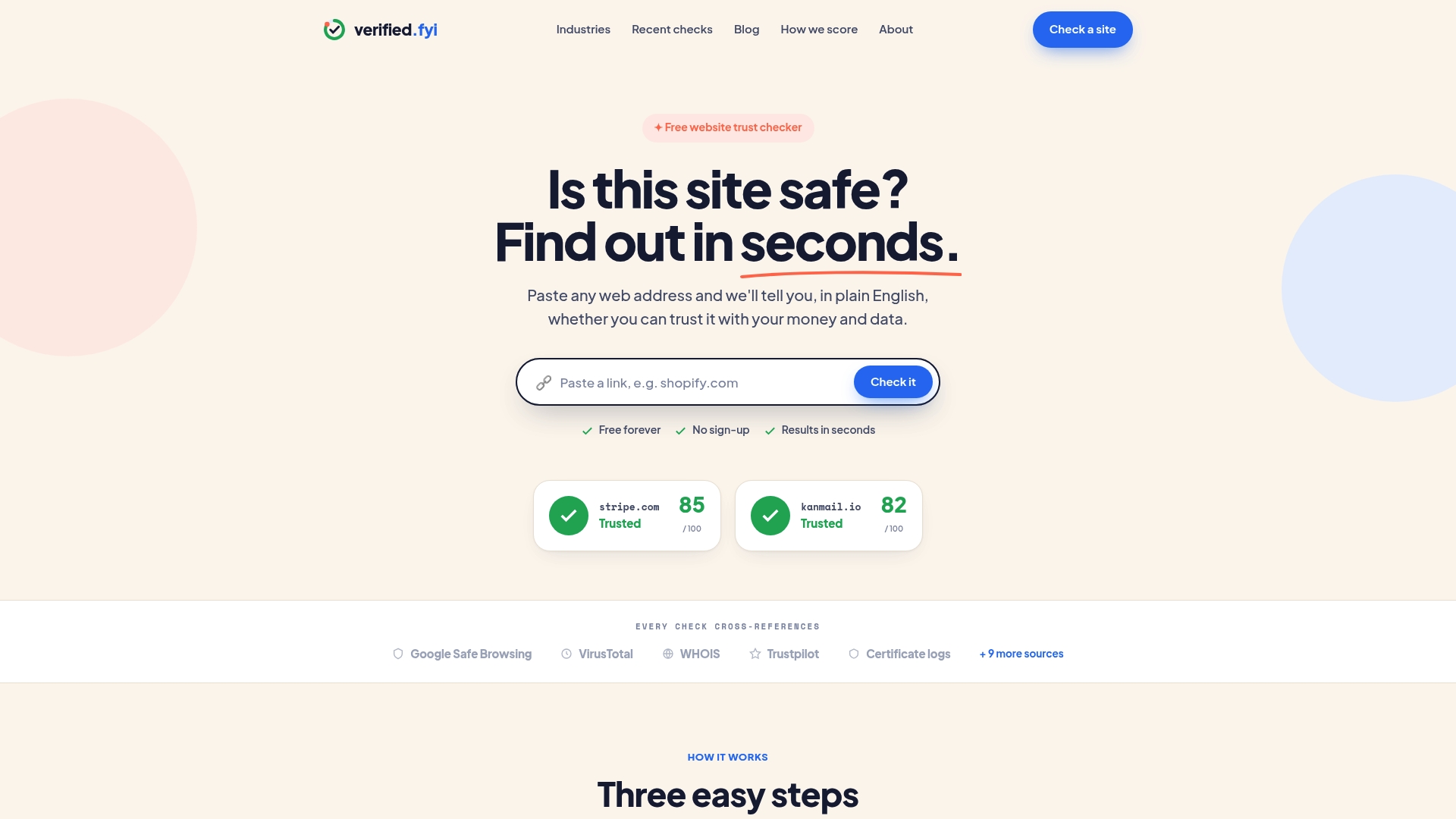
The platform uses AI to weigh signals including domain age, HTTPS status, content patterns, and known scam indicators, then gives you a clear verdict. You can browse recently checked websites to see how real sites score before you visit them yourself. Whether you are shopping, signing up, or just curious, Verified fyi gives you the confidence to decide quickly and safely.
FAQ
What are the most common unsafe website signs?
The most common signs include suspicious or misspelled URLs, missing HTTPS, broken links, aggressive pop-ups, and cryptocurrency-only payment options. No single sign is definitive. Multiple signs appearing together confirm high risk.
Does a padlock icon mean a website is safe?
No. A padlock means your connection is encrypted, not that the site is legitimate. Phishing sites routinely display padlocks because SSL certificates are free and easy to obtain.
How do I check if a website is a scam?
Check the domain carefully for character swaps or unusual extensions, verify contact details and a privacy policy exist, look up the domain age using a WHOIS tool, and read external reviews on independent platforms like Trustpilot.
Why is cryptocurrency-only payment a red flag?
Cryptocurrency and wire transfer payments are irreversible. Scammers prefer them because victims cannot dispute or recover funds after a transaction is complete.
How does domain age help identify fraudulent websites?
A domain registered less than six months ago is a recognized risk factor. Scam sites are typically registered quickly, used briefly to collect money, and then abandoned or replaced.