
TL;DR:
- A third-party website vetting checklist confirms a site's legitimacy, security, and trustworthiness before sharing sensitive data. Continuous monitoring and automated tools ensure ongoing protection by tracking script risks, certificate validity, and contact consistency. Regular re-verification helps identify ownership changes or security lapses over time.
A third party website vetting checklist is a structured set of verification steps used to confirm a website's legitimacy, security, and trustworthiness before you share sensitive information or conduct business. Third party due diligence, the recognized industry term for this practice, goes far beyond a quick Google search. Tools like WHOIS, GLEIF's global legal entity database, and browser developer tools each play a specific role in a complete vendor website verification checklist. Automated vetting processes now cover 22 core intelligence signals, including domain registration, legal entity checks, and sanctions screening. That scope makes manual-only checks increasingly inadequate for anyone handling sensitive data or financial transactions.

What are the essential components of a third party website vetting checklist?
A complete vendor website verification checklist covers five non-negotiable areas: identity, contact, security credentials, scripts, and data handling. Skipping any one of them leaves a gap a fraudulent site can exploit.
- Domain and legal identity. Look up the domain in WHOIS to confirm registration age, registrant details, and registrar. Cross-reference the legal company name against GLEIF or your country's business registry. Brand, trading arm, and operator can differ significantly, so confirm all three align.
- Contact information consistency. Require at least two working contact methods, such as a phone number and a business email, that appear consistently on the official site and in third-party listings. Mismatches in email domains or phone numbers are a red flag that should halt vetting until clarified.
- TLS certificate and security credentials. Confirm the site uses a valid TLS certificate. Check whether the vendor holds recognized certifications such as ISO 27001. An expired or self-signed certificate on a vendor handling your data is a hard stop.
- Third-party scripts. Open Chrome DevTools or Firefox's Network tab and count every external script the page loads. Most operators guess five or six; the real number is often far higher.
- Privacy policy and data processing agreements. A site that collects personal data must publish a clear privacy policy. If you are sharing business data, a Data Processing Agreement (DPA) is required, not optional.
- Verification sequence. Run checks in this order: identity first, contact second, security credentials third, scripts fourth, and data agreements last. This sequence catches the most common fraud patterns early and saves time.
Pro Tip: Run your WHOIS lookup before anything else. A domain registered within the past 90 days combined with no verifiable legal entity is enough reason to stop the entire assessment.
How to audit third-party scripts on a website for security risks
Third-party scripts are one of the most underestimated risks in any website assessment checklist. Typical websites load 15–40 third-party scripts, yet operators routinely guess five or six. Each script runs with the same privileges as the site's own code, meaning a compromised script can steal form data, session tokens, or payment details.
- Open your browser's developer tools. In Chrome, press F12 and go to the Network tab. Filter by "JS" and reload the page. Every external script domain appears in the list.
- Map each script to a vendor. Note the domain, the script's stated purpose, and who owns it. A script from an unrecognized domain with no documentation is an immediate red flag.
- Check for Subresource Integrity (SRI) hashes. SRI is a browser security feature that blocks a script from running if its content has changed since you approved it. Many major vendor scripts from Google and Facebook intentionally skip SRI because they update frequently, but that is a deliberate trade-off, not a green light for unknown vendors.
- Classify scripts by risk tier. Sort every script into one of four categories: essential (analytics, core functionality), low risk, medium risk, or high risk. Advertising pixels and behavioral tracking tools fall into the high-risk tier.
- Require a DPA for high-risk scripts. High-risk scripts like advertising pixels require a full Data Processing Agreement and sub-processor auditing before you allow them to run on any site handling your data.
- Review vendor breach notification policies. Ask each high-risk script vendor how quickly they notify customers after a breach. Anything beyond 72 hours is below the standard set by GDPR and most U.S. state privacy laws.
Pro Tip: Schedule a script audit every quarter. Vendors update their code silently, and a script that was low-risk in january can become high-risk by april if the vendor changes ownership or data practices.
| Risk tier | Script examples | Required action |
|---|---|---|
| Essential | Site hosting, CDN | Confirm TLS; no DPA required |
| Low | Basic analytics | Review privacy policy |
| Medium | Chat widgets, A/B testing | Confirm data residency |
| High | Ad pixels, behavioral tracking | Full DPA and sub-processor audit |
How to verify vendor credentials, contact details, and business legitimacy
A polished website does not prove legitimacy. Multiple aligned data points across independent sources are the only reliable standard. One clean-looking directory listing is evidence, not proof.
- Align three core identifiers. The legal company name, the registered domain, and the physical business address must match across the vendor's website, WHOIS records, and official business registries. Any mismatch warrants a direct explanation from the vendor before you proceed.
- Confirm two working contact methods. Call the phone number. Send an email. Baseline vendor verification requires at least two consistent, working contact methods confirmed on the official site and in independent listings.
- Use public records. Check Companies House (UK), the SEC EDGAR database (US), or your country's equivalent registry to validate corporate structure, filing history, and registered directors.
- Log every check. Keep a verification log with the date, the source checked, the result, and the name of the person who ran the check. This log becomes your audit trail if a vendor relationship later goes wrong.
- Schedule re-verification. A vendor that passes today can change ownership, let a certificate lapse, or quietly update its privacy policy tomorrow. Set a calendar reminder to re-verify high-value vendors every six months.
| Check | Green signal | Red flag |
|---|---|---|
| Domain vs. legal name | Exact match | Different entity names |
| Contact methods | Two confirmed, consistent | One method, or mismatched domains |
| Business registry | Active, current filings | No record or dissolved status |
| Physical address | Verified on maps and filings | PO box only, or no address listed |
What ongoing practices keep third-party website relationships safe?
A one-time vendor website verification checklist is not enough. A vendor passing an assessment today may fail tomorrow, and continuous monitoring is the only way to catch infrastructure changes after initial vetting.
- Combine questionnaires with automated scanning. Effective third-party risk management pairs questionnaire-based assessments with external automated security scanning. Neither approach alone provides complete coverage.
- Monitor certificate expirations. Set automated alerts for TLS certificate expiry on every vendor domain you depend on. An expired certificate on a payment processor or data vendor is an active security risk.
- Track email authentication changes. Watch for changes to SPF, DKIM, and DMARC records on vendor domains. SPF (Sender Policy Framework) and DKIM (DomainKeys Identified Mail) are email authentication standards that confirm a domain's emails are legitimate. A vendor that drops these protections becomes a phishing vector.
- Watch for open port changes. Unexpected new open ports on a vendor's server can signal a breach or a configuration error. Tools like Shodan can surface these changes without requiring direct vendor access.
- Adjust thresholds by vendor criticality. A vendor with access to your customer data warrants monthly re-assessment. A vendor supplying only marketing fonts warrants annual review. Match your monitoring intensity to the actual risk.
- Integrate third-party risk assessments across document review, questionnaires, and live external scanning to build a complete picture of vendor risk over time.
Key takeaways
A complete third party website vetting checklist combines identity verification, script auditing, contact confirmation, and continuous monitoring to reliably detect fraud and security risk.
| Point | Details |
|---|---|
| Start with identity | Confirm legal name, domain, and address align before any other check. |
| Audit scripts thoroughly | Websites load 15–40 third-party scripts; classify each by risk tier and require DPAs for high-risk ones. |
| Confirm two contact methods | Mismatched email domains or phone numbers are a red flag that halts vetting. |
| Monitor continuously | Re-verify high-value vendors every six months and set alerts for certificate and authentication changes. |
| Combine methods | Questionnaires plus automated scanning provide coverage that neither approach delivers alone. |
Why most people vet vendors wrong (and how to fix it)
The most common mistake I see is treating a vendor's own profile as the primary source of truth. A well-designed website, a few positive directory listings, and a professional email signature feel convincing. Your eye glosses over these; your instincts should not.
The second mistake is underestimating script count. Every time I walk someone through Chrome DevTools for the first time, they are surprised. They expected six scripts. They find thirty-two. Each one is a potential entry point, and most have never been reviewed against a DPA or a privacy policy.
The third mistake is treating vetting as a one-time event. I have seen vendor relationships go bad not at the start, but six months in, after a quiet ownership change or a lapsed security certificate. The website safety checks you run at onboarding are a baseline, not a guarantee.
The fix is documentation and scheduling. Log every check. Set re-verification dates. Assign ownership. Vetting without a log is just hope with extra steps.
— Nick
Check any website in seconds with Verified fyi
Manual checklists are thorough, but they take time. Verified fyi analyzes over 200 security and reputation signals for any website and returns a trust score from 0 to 100 in seconds. The platform uses AI to weigh signals including domain age, TLS validity, blacklist status, and behavioral patterns, then delivers a clear verdict on whether a site is safe to engage with.
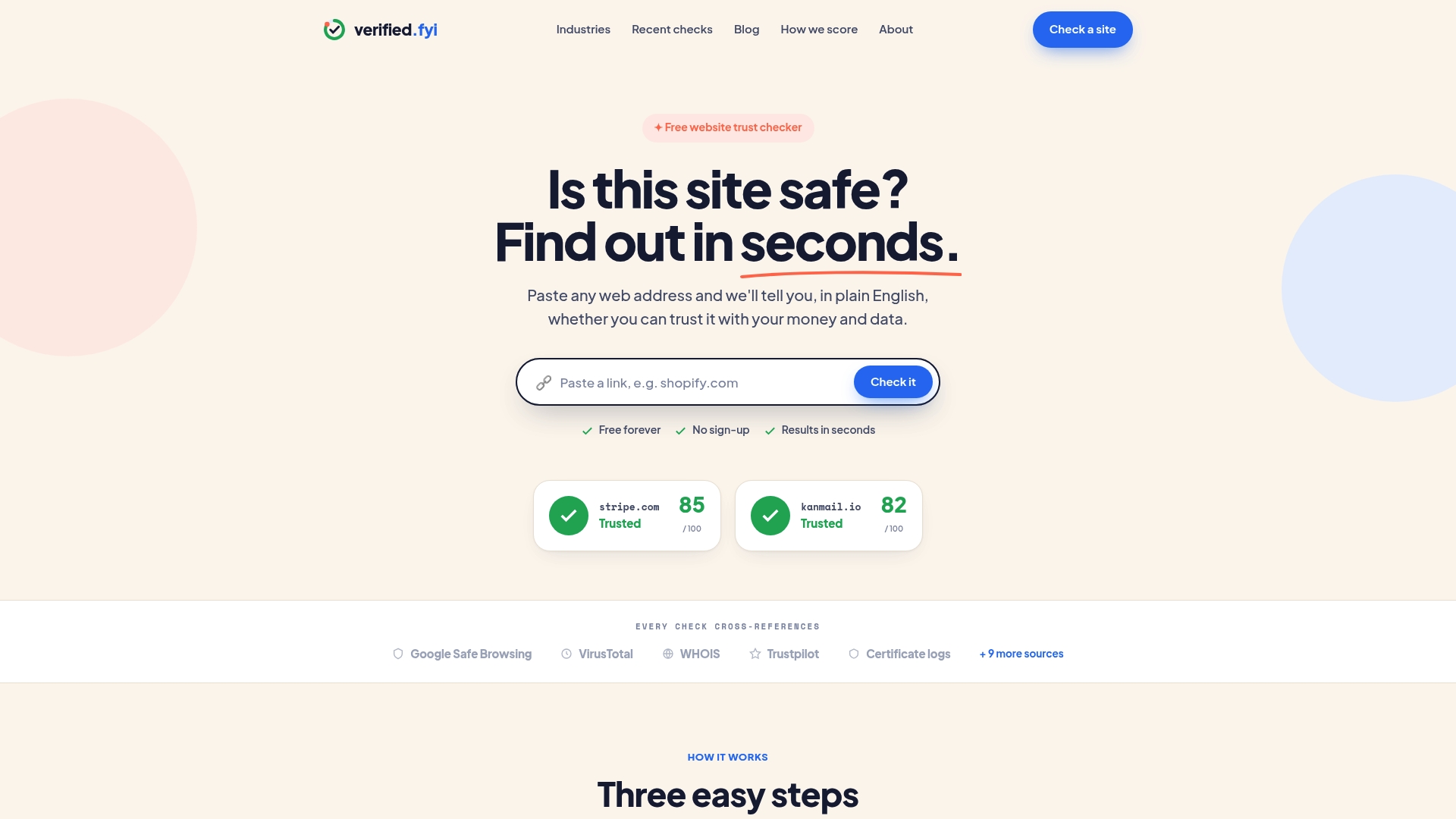
Paste any URL into Verified fyi to get an instant safety assessment. You can also browse recently checked websites to see how real sites score across the platform's full signal set. Use Verified fyi as your first filter before running a full manual vendor evaluation checklist. It narrows the field fast.
FAQ
What is a third party website vetting checklist?
A third party website vetting checklist is a structured set of steps used to verify a website's identity, security credentials, contact details, and data handling practices before you engage or share sensitive information.
How many third-party scripts does a typical website load?
Typical websites load 15–40 third-party scripts, far more than most operators estimate. Each script carries the same code privileges as the site itself, making script auditing a critical part of any website risk assessment.
What is the fastest way to vet a third-party website?
Automated tools like Verified fyi analyze over 200 signals and return a trust score in seconds. For deeper vendor due diligence, automated vetting processes covering 22 core intelligence signals can complete an initial check in approximately 90 seconds.
What counts as a red flag during vendor verification?
Mismatched email domains, phone numbers that do not connect, a domain registered within the past 90 days, and no verifiable legal entity in a public business registry are all red flags that should pause the vetting process immediately.
How often should you re-verify a third-party vendor?
Re-verify high-value vendors every six months. Continuous monitoring for certificate expirations, open port changes, and email authentication updates is the standard for vendors with access to sensitive data.