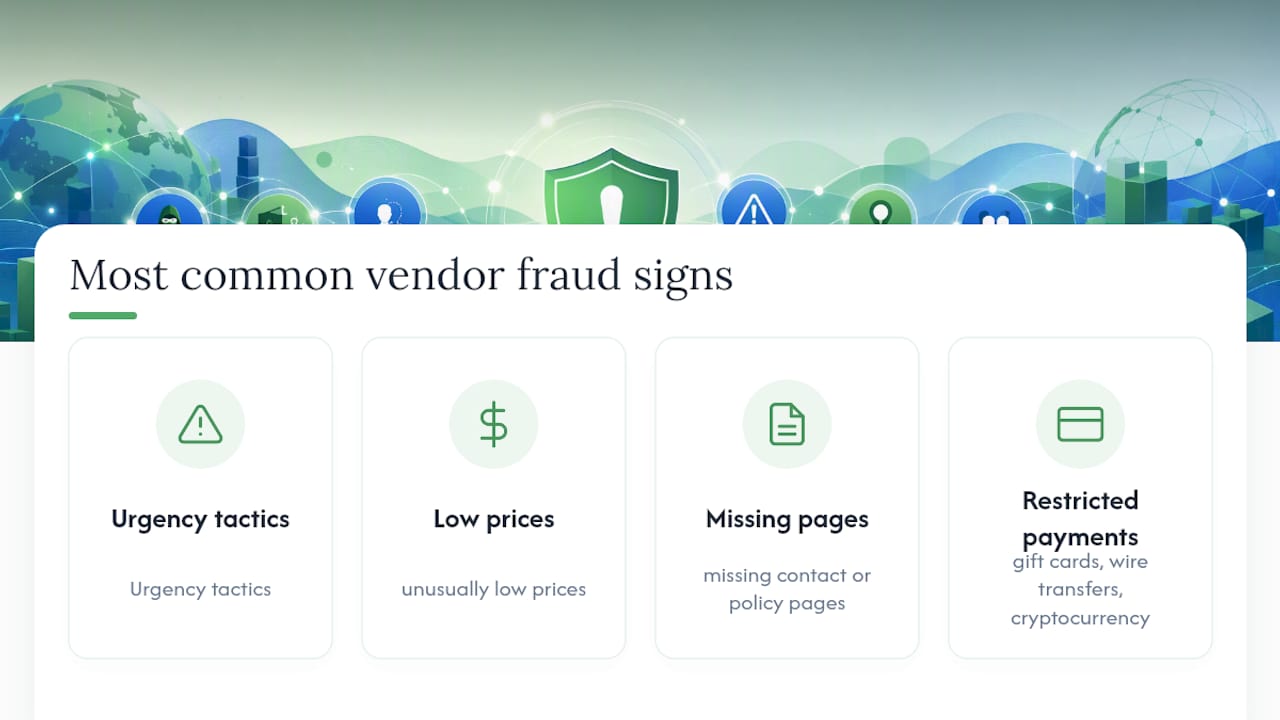
If a seller's site is pushing you to buy right now, prices look suspiciously low on brand-name goods, the contact page is empty, or checkout only accepts gift cards or crypto, those are the four most common vendor fraud warning signs. Stop before you pay. Paste the seller's URL into Verified fyi for an instant trust score, then cross-check with Google Safe Browsing and a WHOIS domain-age lookup. The whole process takes under two minutes. If anything flags, walk away and report it at Reportfraud.
The top four red flags at a glance:
- Urgency tactics: countdown timers, fake "only 3 left" stock counters, or "sale ends in 10 minutes" pop-ups
- Prices that are far below market value on brand-name or high-demand products
- Missing, broken, or copy-pasted "Contact Us," "Returns," or Privacy Policy pages
- Payment requests limited to gift cards, wire transfers, or cryptocurrency
Key Takeaways
Spotting vendor fraud comes down to running a fast, layered check: trust score, domain age, payment method, and a quick search for complaints.
| Point | Details |
|---|---|
| Top red flags | Urgency tactics, suspiciously low prices, missing policy pages, and gift-card-only payment requests are the most common warning signs. |
| Run the URL workflow | Paste the seller's URL into Verified fyi, check WHOIS domain age, run VirusTotal, and search the seller name plus "scam" or "complaint." |
| Avoid unrecoverable payments | Never pay by gift card, wire transfer, or crypto; use a credit card or marketplace escrow for dispute and chargeback rights. |
| HTTPS is not enough | A padlock shows encrypted transit, not seller legitimacy — scammers obtain SSL certificates routinely. |
| Verified fyi | Aggregates multiple signals into a 0–100 trust score, giving shoppers a fast, evidence-based verdict before they buy. |
Table of Contents
- Common vendor fraud warning signs — the full checklist
- How to verify a seller in under two minutes
- Payment and checkout red flags — which methods to avoid
- Deeper checks: WHOIS, VirusTotal, Google Safe Browsing, and reverse image search
- If you think a vendor scammed you — act fast
- Why URL verifiers matter — and what they can't do
- Verified fyi gives you an instant trust score before you buy
- Sources
- FAQ
Common vendor fraud warning signs — the full checklist
Run through this list while you have the seller's page open. Most scam sites trip at least three of these.
- Urgency and pressure tactics. Scammers deliberately engineer countdown timers, fake stock counters, and aggressive sale deadlines to push you into buying before you can verify. If the pressure feels manufactured, it probably is.
- Too-good-to-be-true pricing. Deep discounts on electronics, sneakers, or designer goods are a classic lure. Legitimate sellers rarely discount 70–80% off retail.
- Thin or missing policy pages. Broken links, empty return policies, and generic placeholder text are frequently correlated with scam intent. A real business has real policies.
- Poor grammar and machine-translated text. Awkward phrasing, inconsistent capitalization, and obvious translation errors suggest the site was assembled quickly, often from a template.
- Suspicious payment requests. If a seller insists on gift cards, wire transfers, payment apps, or cryptocurrency, treat it as a likely scam; favor credit cards or marketplace escrow whenever possible.
- Fake or stock product photos. Fraudulent stores commonly use copied photos or images from legitimate brand campaigns. A reverse-image search on the product photo often reveals the original source.
- Suspicious review patterns. Repetitive review text, clusters of five-star ratings with no detail, and reviewers with only one post are all signs of manufactured social proof.
- Very recent domain registration or anonymous WHOIS. A site registered within the last few weeks claiming to be an established U.S. retailer is a contradiction worth investigating.
- No verifiable contact details. Sites lacking a physical address or working phone number are a high-risk indicator. Try calling or emailing before you buy.
- Thin or suspicious social media presence. New accounts, very few posts, and comment sections full of generic praise suggest the brand identity was created recently to support a short-lived scam operation.
Pro Tip: Search the exact seller name or domain plus the word "scam," "complaint," or "review." The FTC recommends this technique for surfacing third-party reports that never appear on the seller's own site.
How to verify a seller in under two minutes
This workflow covers most high-risk sellers. Run it before you enter any payment details.
-
Check the URL and run a quick trust scan (10–20 seconds). Confirm the domain matches the brand name exactly — one transposed letter is a phishing tell. Then paste the URL into Verified fyi for an instant 0–100 trust score that aggregates WHOIS, Google Safe Browsing, VirusTotal, and reputation signals in one view. Also note whether HTTPS is present, but don't stop there (more on that below).
-
Run a WHOIS lookup and a negative-keyword search (20–40 seconds). A WHOIS and domain-age check combined with a Google Safe Browsing scan gives you quick, evidence-based risk indicators. A domain registered within the past 30–60 days for a site claiming years of operation is a strong red flag. Then search the domain or seller name plus "scam" or "complaint" to surface third-party reports.
-
Run VirusTotal and a reverse-image search (20–40 seconds). Paste the URL into VirusTotal to check for malware or phishing flags across dozens of security engines. Drag a product photo into Google Images or TinEye to see whether the image appears on unrelated sites, which is a reliable sign of stolen or stock photography.
Interpreting results: A recently registered domain doesn't guarantee fraud, but combined with anonymous WHOIS, no working contact page, and a VirusTotal flag, the cumulative risk is high. Any single clean result is not a guarantee of safety; look at the pattern across all checks.
Pro Tip: Screenshot the product listing, order confirmation page, and any email correspondence before you contact your bank or file a report. Evidence that disappears after a dispute is filed is harder to act on.
Payment and checkout red flags — which methods to avoid
How a seller asks to be paid tells you more about their legitimacy than almost any other signal.
- High-risk payment methods to avoid: gift cards of any brand, wire transfers via MoneyGram or Western Union, cryptocurrency-only checkouts, and requests to pay via messaging apps or email invoices outside the site's own checkout flow.
- Safer choices: credit cards (Visa, Mastercard, American Express) offer chargeback rights under the Fair Credit Billing Act. PayPal and similar processors provide dispute resolution. Marketplace platforms often include buyer-protection programs, though policies vary — always read the marketplace's own terms before assuming coverage.
- The HTTPS caveat. A padlock in the address bar means your connection is encrypted in transit. It does not mean the seller is legitimate. Scammers can and do obtain SSL certificates, so HTTPS alone is never enough to trust a site.
Stop before you pay if: the checkout redirects you to an unfamiliar payment processor, the site asks for extra fees after you've entered your card details, or the only payment option is one you can't dispute. Payment protections matter more than how polished the page looks — a site that accepts only unrecoverable methods is high-risk regardless of its design.
Deeper checks: WHOIS, VirusTotal, Google Safe Browsing, and reverse image search
When the quick paste-and-scan is inconclusive, these free tools give you more signal.
- WHOIS / domain age. Use ICANN's WHOIS lookup or a service like who.is. Look for registration date, registrant country, and whether the contact details are privacy-protected. A domain registered in the past 60 days with a privacy shield and a claimed U.S. address is worth treating with caution.
- Google Safe Browsing. Google's Safe Browsing site status tool checks URLs against a constantly updated list of dangerous sites. A flagged result is a strong red flag. A clean result means Google hasn't flagged it yet, not that it's safe.
- VirusTotal. Paste the URL at virustotal.com. The service checks against 70+ security engines. Even two or three flags out of 70 warrant a closer look, especially combined with other warning signs.
- Reverse image search. Drag a product image into Google Images or TinEye. Fake stores frequently reuse photos from legitimate brand campaigns or stock libraries. If the same photo appears on a dozen unrelated sites, the product listing is almost certainly fabricated.
A clean result from any single tool is not a guarantee. Scam sites can pass individual checks while still failing others. The value is in running all four and looking at the combined picture, not in treating one green light as clearance to buy.
For a deeper look at phishing site warning signs and structural red flags, the Verified fyi blog covers UX and infrastructure signals that complement these technical checks.
If you think a vendor scammed you — act fast
Speed matters. The faster you act, the better your chances of recovering funds.
- Document everything immediately. Screenshot the product listing, order confirmation, any email or chat exchanges, and the site's contact page. Save order numbers and transaction IDs.
- Stop any recurring payments. If you shared card details, call your bank and ask whether a recurring charge has been set up.
- Contact your payment issuer. Preserve evidence, contact your payment provider immediately to dispute charges, and report the scam to ReportFraud.ftc.gov. Credit card disputes under the Fair Credit Billing Act give you the strongest recovery path. If you paid through a marketplace, use its buyer-protection process first.
- File a report with the FTC. Go to Reportfraud. Also contact your state attorney general's office — many states have consumer protection units that act on local complaints faster than federal agencies.
- Report the site to Google Safe Browsing if it appears to host malware or phishing forms. This helps protect other shoppers.
Emergency step: If the site asked for your login credentials, Social Security number, or identity documents, change your passwords immediately and consider placing a free credit freeze with Equifax, Experian, and TransUnion. A credit freeze prevents new accounts from being opened in your name.
For a broader safe online shopping checklist, Verified fyi's guide covers additional recovery steps and prevention habits worth bookmarking.
Why URL verifiers matter — and what they can't do
URL-based verifiers like Verified fyi aggregate signals that would take you 10–15 minutes to gather manually: WHOIS data, Google Safe Browsing status, VirusTotal flags, review aggregation, and infrastructure checks. The result is a single trust score that gives you a fast, evidence-based starting point rather than a gut feeling.
That said, no verifier is a guarantee; as explained in Patch Management: Why So Many Organizations Get It Wrong | Ransomnews, maintaining strong security hygiene and timely patching is crucial to overall site trustworthiness. A scam site registered yesterday with clean infrastructure will score better than it deserves until negative signals accumulate. Verifiers are triage tools, not verdicts. The right way to use one is as the first step in the workflow above, not the only step. When a score is low or the breakdown shows red flags in ownership or reputation categories, that's your signal to run the manual checks and search for complaints before you buy.
Verified fyi gives you an instant trust score before you buy

Verified fyi compresses WHOIS lookups, Google Safe Browsing status, VirusTotal scans, and reputation signals into a single 0–100 trust score with a plain-English breakdown. Instead of running four separate tools, you paste one URL and get a verdict in seconds, with risk categories flagged by ownership, infrastructure, security, and reputation. You can also browse recently checked websites to see how other shoppers have flagged suspicious domains, or check the scoring methodology if you want to understand exactly what signals drive the result. Paste any seller URL at Verified before your next purchase — it takes less time than reading a product description.
Sources
Use these official resources alongside the verification workflow described above.
- How to avoid an online shopping scam this holiday season | Consumer Advice
- Online Shopping | Consumer Advice (FTC)
- Spotting fraudulent online stores (Chase)
- Don't let scammers get away with your holiday shopping | Consumer Advice
- How to detect fraudulent sites selling fakes | Europol
FAQ
What are the most common vendor fraud warning signs?
Urgency tactics, unusually low prices, missing contact or policy pages, and payment requests limited to gift cards, wire transfers, or cryptocurrency are the most frequently reported warning signs of a fraudulent online seller.
Does HTTPS mean a website is safe to buy from?
No. HTTPS encrypts the connection between your browser and the site, but scammers can obtain SSL certificates too. Always combine the HTTPS check with a WHOIS lookup, a VirusTotal scan, and a search for complaints.

How do I verify a seller's website quickly?
Paste the URL into Verified fyi for an instant trust score, then run a WHOIS domain-age check and search the seller name plus "scam" or "complaint." The full workflow takes under two minutes.
What should I do if I already paid a fraudulent vendor?
Document everything with screenshots, contact your payment issuer immediately to dispute the charge, and file a report at ReportFraud.ftc.gov. If the site collected login credentials or identity documents, change your passwords and consider a credit freeze.
Which payment methods offer the best protection against vendor scams?
Credit cards provide the strongest protection through chargeback rights under the Fair Credit Billing Act. PayPal-type processors also offer dispute resolution. Avoid gift cards, wire transfers, and cryptocurrency, which are largely unrecoverable once sent.