To verify a site fast, paste the URL into an instant reputation scanner like Verified, then cross-check that result against Google Safe Browsing or VirusTotal before you trust it. That's your first move, every time, no exceptions for "it looks fine."
None of these tools are infallible, though. If a scanner flags anything, or even feels ambiguous, don't enter passwords or payment details until you've run a manual check too.
Key Takeaways
Verifying a site fast means combining an instant reputation score with a short manual checklist before you ever enter payment or login information.
| Point | Details |
|---|---|
| Start with an instant scanner | Paste the URL into Verified.fyi or Google Safe Browsing before doing anything else. |
| Cross-check with 2 to 3 tools | Combine a blocklist scanner, an antivirus-engine tool like VirusTotal, and a WHOIS lookup. |
| Watch for stacked red flags | A new domain plus a blocklist hit plus urgent payment demands equals high risk. |
| Run the manual checklist for money or logins | Confirm contact details, checkout domains, and independent reviews before paying. |
| Use Verified.fyi for a transparent score | It aggregates 200+ signals into a 0 to 100 score with a visible breakdown of what drove it. |
This article is general information, not a substitute for advice from a qualified financial advisor. Consult a qualified financial professional about your own circumstances before acting on anything here.
Table of Contents
- How Do You Verify a Site in Under Two Minutes?
- What Technical Signals Do These Scanners Actually Check?
- What Manual Checks Should You Run Yourself?
- How Do You Read the Results and What Comes Next?
- Why Trust a 0 to 100 Score in the First Place?
- See Your Site's Trust Score in Seconds
- Sources
- FAQ
How Do You Verify a Site in Under Two Minutes?
You don't need five browser tabs open to get a solid first read on a website. A handful of free scanners each check different things, and running two or three together catches what any single one misses.
- Verified.fyi pulls over 200 signals, including WHOIS data, blocklists, SSL details, and hosting patterns, into one 0 to 100 trust score with a plain-language breakdown of what dragged the score down.
- Google Safe Browsing checks a URL against Google's own blocklist of known malware and phishing pages. It's the same site status database that powers the warning screen you've probably seen in Chrome.
- VirusTotal runs a URL through dozens of antivirus engines at once, so you see whether multiple independent vendors flag it, not just one.
- URLVoid-style multi-blocklist scanners aggregate several blocklists into a single report, useful when you want a quick consensus view rather than one company's opinion.
- Link checkers like Bitdefender's or Avast's expand shortened links and scan for phishing kits, which matters since a lot of scam links hide behind a redirect chain.
Pro Tip: Run one blocklist based tool, one antivirus-engine tool, and one WHOIS or SSL inspector together. A single scanner can miss a brand-new scam site simply because nobody has reported it yet.
What Technical Signals Do These Scanners Actually Check?
Every reputation checker is reading some combination of the same five signal types, and knowing what they mean turns a cryptic score into a decision you can trust.
- Blocklist hits from Safe Browsing or the dozens of engines VirusTotal queries. A hit here is close to a smoking gun.
- WHOIS and domain age. WhoisValid and similar tools pull registration date, registrar, and ownership records. A domain registered last week selling luxury handbags at 80% off is a pattern worth noticing.
- SSL/TLS certificate type. Domain Validation (DV) certificates confirm almost nothing beyond domain control. Extended Validation (EV) certificates require the issuer to verify a real business identity, though EV has become rarer as browsers de-emphasize the visual cues that once made it obvious.
- IP and hosting patterns, including geolocation mismatches, like a site claiming to be a US retailer but hosted on infrastructure with no US footprint.
- Malware and phishing kit signatures, the kind of thing Trend Micro's Site Safety Center tracks through historical behavior analysis.
A brand-imitating URL, a domain registered within the last two weeks, and a Safe Browsing hit together add up to a high-risk site almost every time. Any one of those alone might just be a false positive.
Expired certificates, sites that recently changed hosts, and shared hosting setups all trigger false positives regularly. That's exactly why cross-checking two or three signals beats trusting one red flag in isolation.
What Manual Checks Should You Run Yourself?
Scanners are fast, but they don't catch everything, especially social engineering that looks polished. Run this checklist before you log in or pay anything.
- Expand any shortened or redirected link first. If you're comfortable with it, view the page source or headers in a sandboxed browser tab rather than clicking blind.
- Hover over links before clicking to see the real destination host, not just the display text.
- Look up the WHOIS record and note the registrar and registration date. A pattern of very recent registrations paired with urgent sales copy is one of the most consistent scam signals out there.
- Confirm contact details and legal pages exist and match across the site. Fake sites often copy a privacy policy from somewhere else and forget to update the company name.
- Check for typosquatting, meaning a domain that swaps letters or adds a word to imitate a real brand (amaz0n-deals.com, for example).
- Test the payment and contact channels. Does the checkout domain actually match the site you started on? Does a support email bounce?
- Search "[site name] + scam" and check independent review sites for complaint patterns a scanner wouldn't surface.
Pro Tip: Run a reverse image search on product photos or logos. Scam sites recycle stock images and stolen product shots constantly, and a reverse search often surfaces the original listing within seconds.
Stop immediately if you hit any of these: demands for urgent payment, requests to pay with gift cards or wire transfers, forced account creation before you can see pricing, or an aggressive countdown timer pressuring you to act; learn how to spot these in secure checkout behavior. Genuine businesses don't need to rush you.

How Do You Read the Results and What Comes Next?
A single flag doesn't always mean disaster, but stacked signals should change your behavior fast.
- Low risk: established domain, valid certificate, no blocklist hits, consistent contact and legal information. Proceed normally.
- Medium risk: one questionable signal, like a recently renewed certificate or a domain that changed hands. Pause and run the manual checklist before entering any personal data.
- High risk: a Safe Browsing hit combined with a domain registered in the past few weeks, or multiple antivirus engines flagging the URL. Stop entirely.
If a site lands in medium or high risk, don't enter credentials or payment information, take a screenshot for your records, and block the domain in your browser. Report it through your browser's phishing report tool, through Google's Safe Browsing report form, or to the host's abuse contact listed in the WHOIS record. If you already entered card details, contact your bank immediately, before you finish reading this sentence.
Why Trust a 0 to 100 Score in the First Place?
A trust score only earns its keep if you can see what built it. Verified.fyi aggregates WHOIS records, Safe Browsing status, VirusTotal engine results, SSL/TLS certificate details, hosting patterns, and public reviews into a single 0 to 100 score, then shows the exact signals behind that number rather than a black-box verdict.
- Dangerous: active blocklist hits or confirmed malware behavior. Leave immediately.
- Suspicious: multiple weak signals stacking up, like a fresh domain plus a mismatched checkout flow.
- Caution: a few unresolved questions, worth a manual check before you proceed.
- Mostly safe / Trusted: consistent signals across ownership, security, and reputation data.
No automated score replaces judgment entirely. Treat it as a fast decision layer, then apply the manual checklist for anything involving money or credentials.
A Quick Note on Priorities
Instant scanners exist to save you time, not to replace judgment entirely. Run the scan first for speed, then reach for the manual checklist the moment money or a password is involved.
See Your Site's Trust Score in Seconds
Verified.fyi gives you a transparent alternative to guessing based on a site's design or a slick checkout page. Paste any URL and you'll get a 0 to 100 trust score built from over 200 signals, plus a plain breakdown of exactly which ones pulled the score down, whether that's a blocklist hit, a brand-new domain, or a mismatched SSL certificate.

Every score comes with the sourcing behind it, so you're not just told "trusted" or "dangerous" without knowing why. If you want to see the methodology before you trust the number, the scoring breakdown walks through exactly how the 200-plus signals get weighted. Curious what real results look like? Browse recently checked websites to see how the categories play out on actual sites people have questioned. When you're ready to check the one in front of you right now, run a free scan and get your answer in seconds.
Sources
- Safe Browsing site status
- 10 red flags that reveal fake website
- WhoisValid · Check if any website is safe, trusted and verified — in seconds.
FAQ
How Can I Verify If a Site Is Legit?
Paste the URL into an instant scanner like Verified.fyi or Google Safe Browsing, then confirm the result with a manual check of contact details, domain age, and independent reviews.
Is Verified.fyi a Legit Website?
Verified.fyi is a free trust-scoring tool that aggregates over 200 security and reputation signals, including WHOIS data, Safe Browsing status, and SSL details, into a transparent 0 to 100 score with a visible breakdown.
How Do I Verify Any Website Before I Pay?
Run the site through a reputation scanner first, then check that the checkout domain matches the site you started on and that contact and legal pages are consistent, as outlined in payment page verification.
How Can I Check If a Website Is Real or Fake?
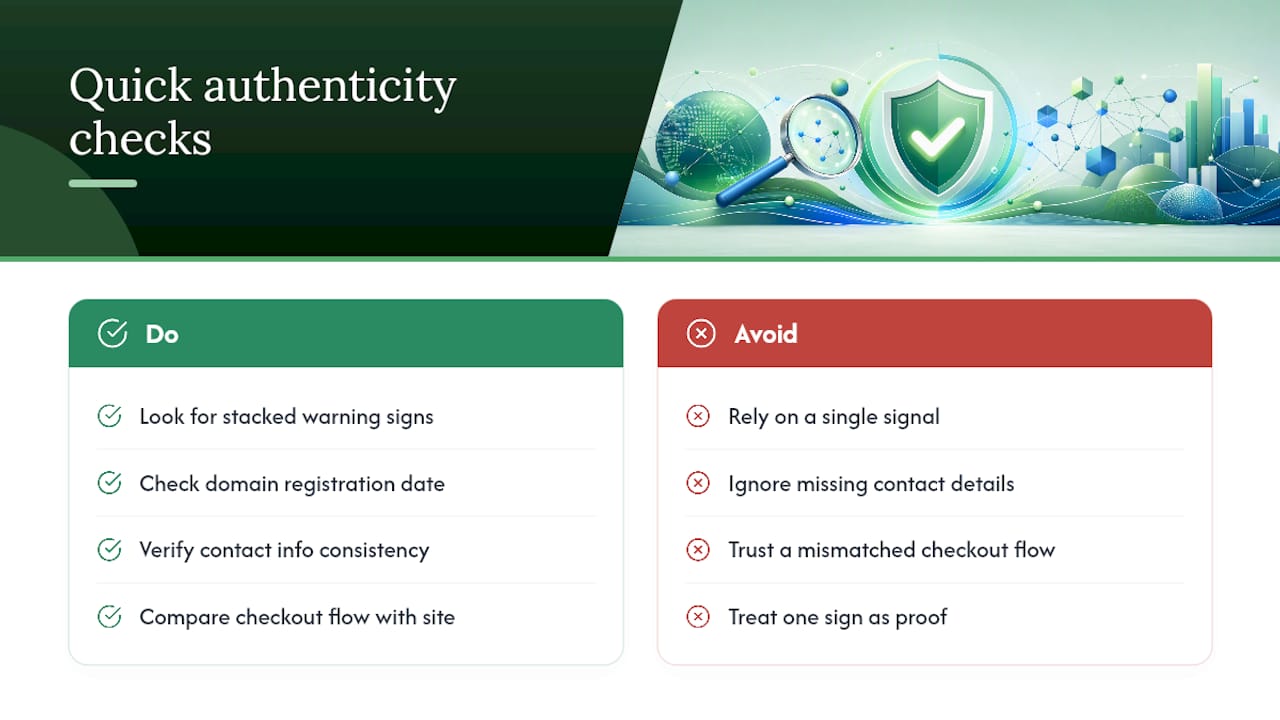
Look for stacked warning signs together, like a domain registered within the past few weeks, missing or inconsistent contact information, and a checkout flow that doesn't match the rest of the site, since any single signal alone can be a false positive.